

No products
Diode Laser Parts
- 3D Printing
- 3D Printers
- 3D Printer Parts
- Nozzles
- Hotends
- Extruders
- Bowden Tubes and Connectors
- Nozzle Wipers
- Filament Cutters
- Build Platforms and Parts
- 3D Printer Motherboards
- 3D Printer Displays
- Power Supply
- Motors and Parts
- Sensors, Limit Switches and Wires
- Fans and Parts
- Belts and Pulleys
- Bearings
- Structural Parts
- Filament Storage and Dryer
- Post Processing Equipment
- Multi Material Systems
- Multi Material Systems Parts
- Enclosure
- Lubricant
- Tools
- Print Kits
- Other
- 3D Filaments
- Resins
- 3D Scanners
- 3D Scanner Parts
- Machines
- CNC
- Manual
- CNC Parts
- Aluminum Extrusion
- Linear Shafts and Parts
- Linear Rails and Blocks
- Lead Screws and Nuts
- Ball Screws and Nuts
- Racks and Pinions
- Gears
- Bearings
- Couplings
- Belts
- Pulleys
- Belt Pulley Accessories
- Springs
- Screws Nuts Bolts
- Hardware
- CNC Controllers
- CNC Controller Parts
- CNC Motors and Drivers
- Power Supplies
- CNC Wires and Connectors
- Drag Chains
- Sensors and Switches
- Indicators
- Pneumatics, Water and Oil
- Dust Collectors
- Clamps
- Bits
- Plasma
- Lasers
- PLC and HMI
- Other
- Tools
- Power Tools
- Drills
- Rotary & Demolition Hammers
- Grinders
- Jigsaw
- Circular Saw
- Miter Saw
- Table Saw
- Electric Planer
- Trimmer and Router
- Electric Sander
- Electric Polisher
- Marble Cutter
- Cut Off Saw
- Welding Machine
- Air Compressors
- Electric Spray Gun
- High-Pressure Washer
- Air Blower
- Vacuum Cleaner
- Soldering Iron
- Heat Gun
- Glue Guns
- Electric Garden Tools
- Other Power Tools
- Cordless Tools
- Air Tools
- Hand Tools
- Measuring Tools
- Safety Tools
- Tool Accessories
- Power Tools
- Packaging
New products
-
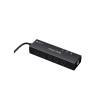
AlgoLaser Smart Hub for Laser Engravers
Rs 12,500.00 -
AlgoLaser Smoke Purifier for Laser Engravers
Rs 72,500.00 -
-
AlgoLaser Smart Enclosure for Laser Engravers
Rs 44,000.00 -
AlgoLaser Smart Camera for Laser Engravers
Rs 23,500.00 -
-
NIIMBOT N1 Thermal Transfer Label and Ribbon Printer
Rs 10,500.00 -
-
-
-
Flat Castor Wheel 75mm Red
Rs 1,750.00 -
Flat Castor Wheel 50mm Black
Rs 1,150.00
-

Artillery 20mm PTFE Teflon Tube for Sidewinder X1
Original Spare Parts from Artillery...
Rs 75.00 -50% Rs 150.00
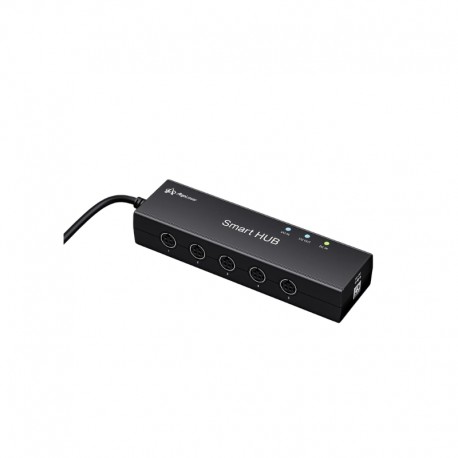
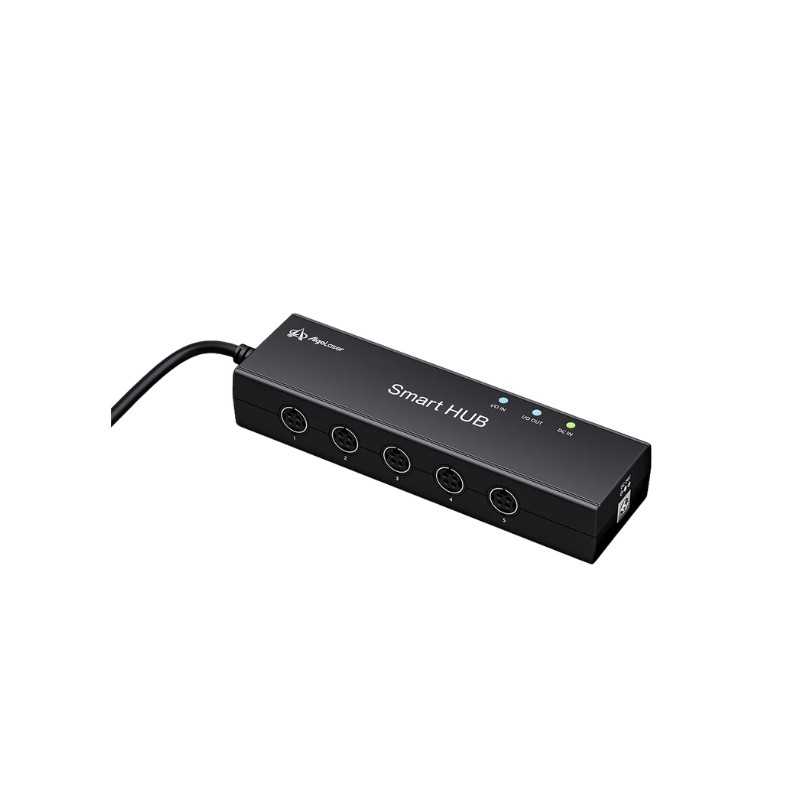
AlgoLaser Smart Hub for Laser Engravers
New product
- Remove this product from my favorite's list.
- Add this product to my list of favorites.
More info
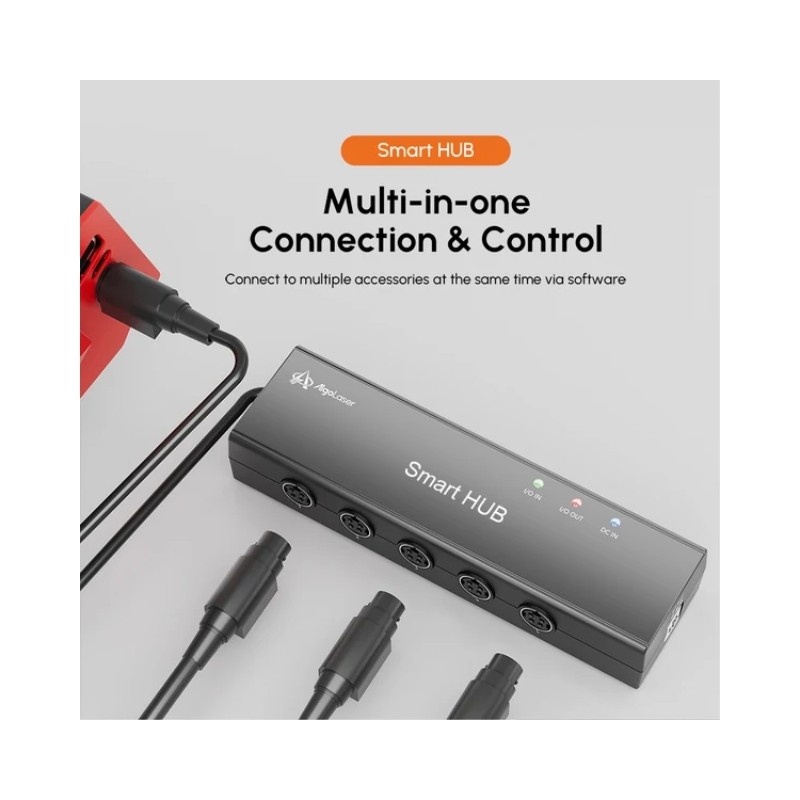
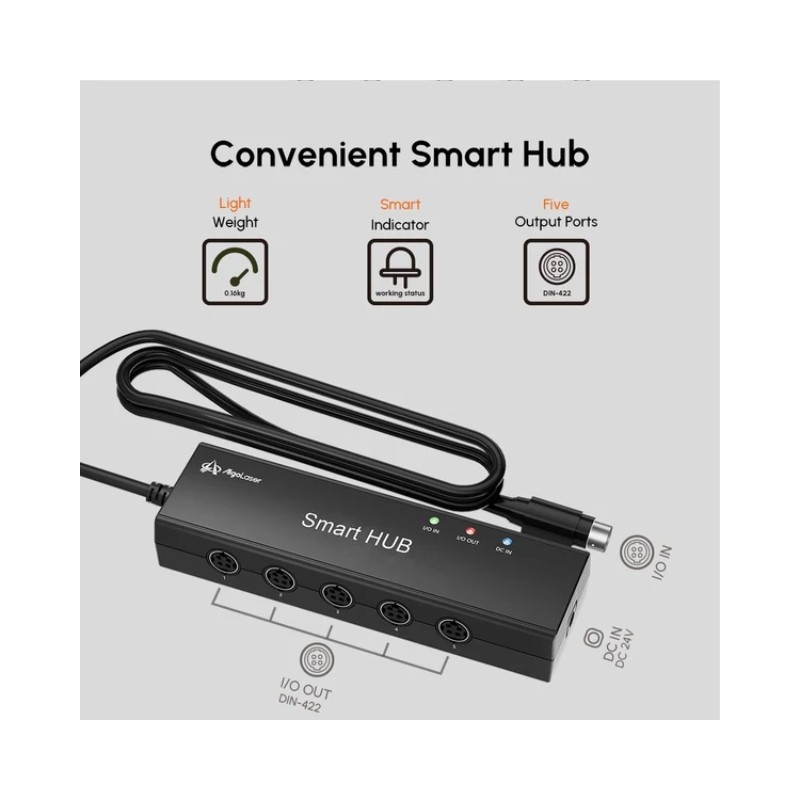
The AlgoLaser Smart Hub is a multi-accessory connection and control hub designed for compatible AlgoLaser laser engraving systems. It allows multiple AlgoLaser smart accessories to be connected to the laser engraver at the same time, creating a cleaner and more integrated engraving setup.
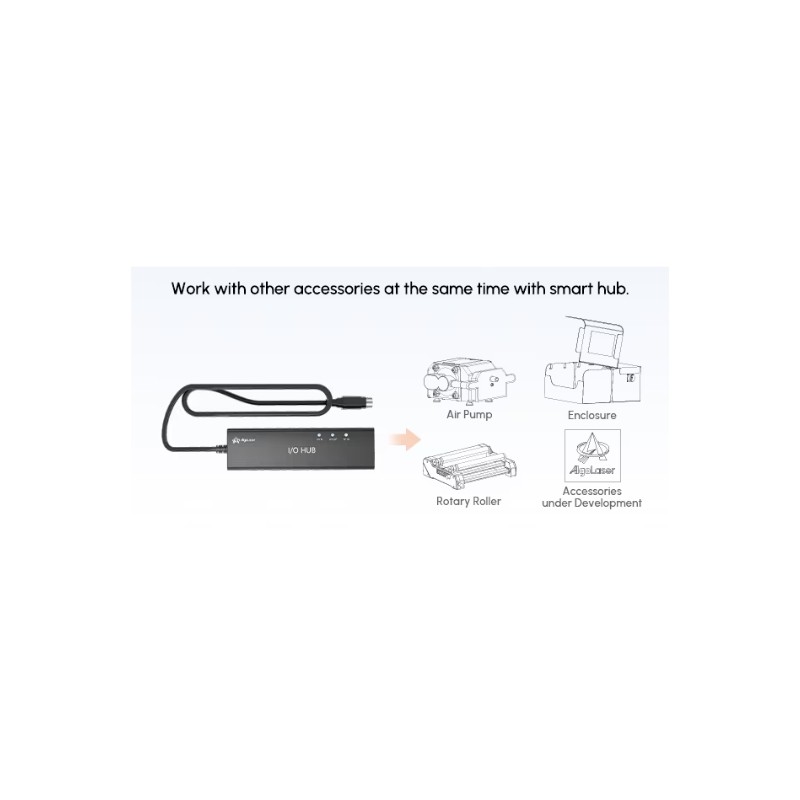
The Smart Hub is particularly useful when combining accessories such as the AlgoLaser Smart Enclosure and Smart Air Assist. Instead of operating each accessory as a completely separate system, the Smart Hub provides the required connection interface so supported accessories can work together with the AlgoLaser machine.
With its plug-and-play design, no additional driver installation is required. Simply connect the compatible machine and accessories using the appropriate cables and the Smart Hub becomes part of the AlgoLaser smart accessory workflow.
Key Features
Smart accessory connection hub for AlgoLaser laser engravers
Connects multiple compatible accessories at the same time
Useful for combining Smart Enclosure and Smart Air Assist
Plug-and-play design
No additional driver required
Multiple status indicator lights
Designed for AlgoLaser smart accessory workflows
Compact solution for cleaner accessory cable management
Multi-Accessory Connection
The Smart Hub allows compatible AlgoLaser accessories to be connected simultaneously to the laser engraving system.
This is especially important for users who want to operate several smart accessories together, such as a Smart Enclosure and Smart Air Assist system.
It provides a central connection point that helps simplify the overall accessory setup.
Smart Enclosure Integration
When using a compatible AlgoLaser Smart Enclosure, the Smart Hub acts as part of the connection between the enclosure and the laser engraver.
This enables supported enclosure functions such as:
Internal lighting control
Fan control
Safety sensor communication
Cover detection
Compatible laser pause functions
Available functions depend on the connected AlgoLaser machine and enclosure model.
Smart Air Assist Integration
The Smart Hub can also connect a compatible AlgoLaser Smart Air Assist system.
This allows the air pump to become part of the integrated AlgoLaser accessory setup, helping provide controlled airflow during engraving and cutting.
Air assist can help improve cutting performance, reduce smoke around the cutting point, improve edge quality, and help keep the laser lens cleaner.
Smart Enclosure and Air Assist Together
One of the main applications of the Smart Hub is allowing the Smart Enclosure and Smart Air Assist to be used together with a compatible AlgoLaser machine.
This makes it especially useful when upgrading an open-frame AlgoLaser engraver into a more complete workshop system with enclosure, airflow assistance, and other smart accessories.
Plug and Play Design
The Smart Hub is designed for straightforward installation and does not require a separate driver.
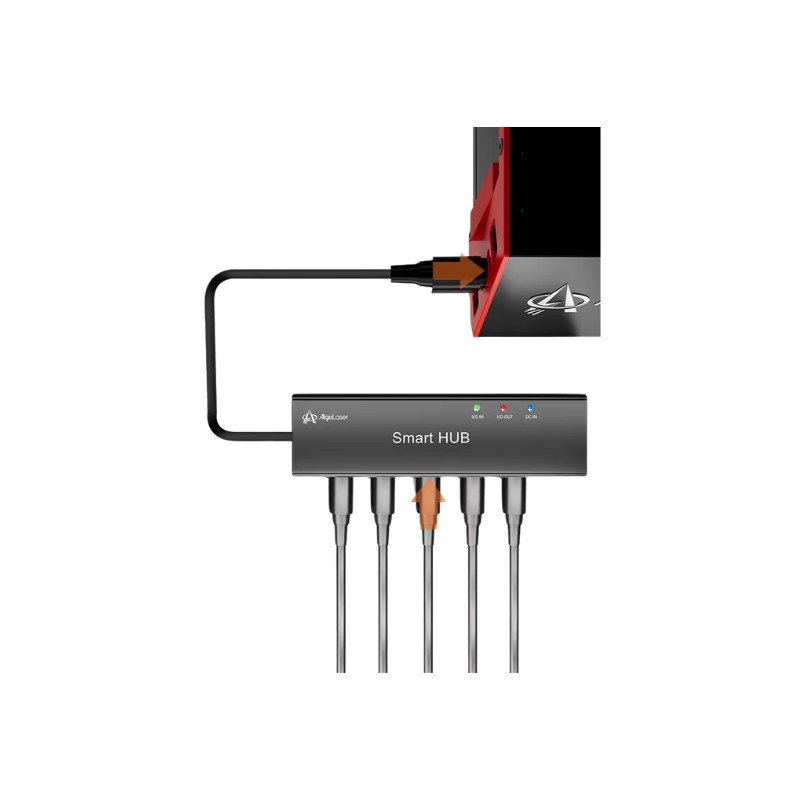
Connect the compatible accessories and laser engraver using the required cables and follow the connection instructions for the selected AlgoLaser machine.
This makes installation more convenient for users who want to expand their engraving setup without adding complicated control hardware.
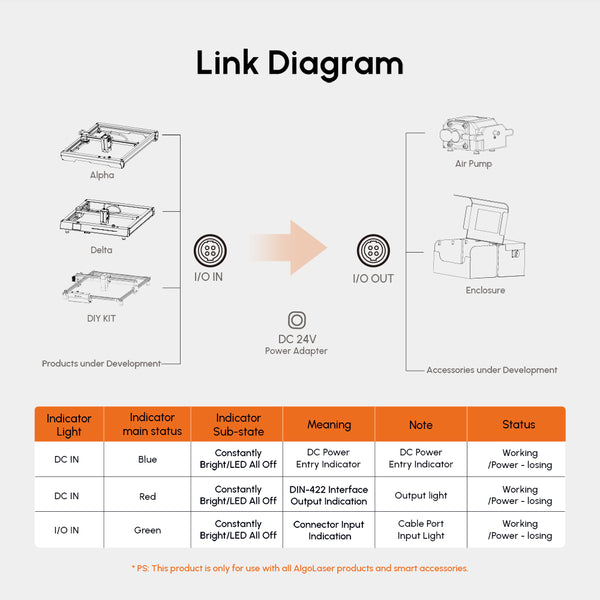
Status Indicator Lights
The Smart Hub includes indicator lights that help users check power and connection status.
Indicators provide visual information for functions such as:
DC power input
Connected interface status
Accessory connection status
Air pump connection
This makes it easier to confirm whether connected components are receiving power and communicating correctly.
Cleaner Laser Engraving Setup
Using a central Smart Hub helps reduce the complexity of connecting multiple smart accessories individually.
This makes it useful for workshops, schools, makerspaces, studios, and small businesses where a more organized laser engraving workstation is preferred.
Technical Specifications
| Specification | Details |
|---|---|
| Product Type | Smart Accessory Connection Hub |
| Brand | AlgoLaser |
| Product Name | Smart HUB |
| Installation | Plug and Play |
| Additional Driver Required | No |
| Multiple Accessory Connection | Supported |
| Status Indicators | Yes |
| Smart Enclosure Connection | Supported |
| Smart Air Assist Connection | Supported |
| Main Use | Connecting and controlling compatible AlgoLaser smart accessories |
Applications
Connecting multiple laser engraver accessories
Smart Enclosure integration
Smart Air Assist integration
Combined enclosure and air assist setup
AlgoLaser smart accessory expansion
Workshop laser engraving systems
School and makerspace laser setups
Small business engraving workstations
Laser machine accessory cable management
Compatibility
The Smart Hub is designed specifically for AlgoLaser products and compatible AlgoLaser smart accessories.
It can be used as part of compatible setups involving:
AlgoLaser Smart Enclosure
AlgoLaser Smart Enclosure 2.0
AlgoLaser Smart Air Assist
Compatible AlgoLaser laser engraving machines
Other supported AlgoLaser smart accessories
Compatibility and available smart functions depend on the connected AlgoLaser machine and accessory combination.
Important Compatibility Note
The AlgoLaser Smart Hub is intended for use with AlgoLaser products and compatible AlgoLaser smart accessories. It should not be assumed to work as a universal USB hub, generic accessory controller, or control hub for laser machines from other brands.
Usage Note
Connect the Smart Hub according to the connection diagram for the specific AlgoLaser machine and accessories being used. Make sure all cables are inserted into the correct ports before powering the system.
When using the Smart Enclosure and Smart Air Assist together, the Smart Hub may be required to provide the necessary simultaneous accessory connections.
28 other products in the same category:
-

TWO TREES...
Rs 9,500.00
-

TWO TREES...
Rs 8,000.00
-
TWO TREES...
Rs 17,000.00
-

TWO TREES...
Rs 42,000.00
-

TWO TREES...
Rs 11,500.00
-

AlgoLaser...
Rs 19,000.00
-

AlgoLaser...
Rs 4,500.00
-
AlgoLaser...
Rs 13,500.00
-
AlgoLaser...
Rs 11,000.00
-
LightBurn...
Rs 30,000.00
-

LightBurn...
Rs 60,000.00
-

Laser...
Rs 290.00
-

Driver...
Rs 3,000.00
-
TWO TREES...
Rs 4,800.00
-
TWO TREES...
Rs 28,500.00
-
TWO TREES...
Rs 14,400.00
-
TWO TREES Z...
Rs 4,100.00
-
Driver...
Rs 3,200.00
-
AlgoLaser 4...
Rs 30,000.00
-
AlgoLaser...
Rs 20,500.00
-
AlgoLaser...
Rs 38,500.00
-
Portable...
Rs 16,000.00
-
Honeycomb...
Rs 8,000.00
-

DIMIFUN...
Rs 4,500.00
-
AlgoLaser...
Rs 23,500.00
-
AlgoLaser...
Rs 44,000.00
-
AlgoLaser...
Rs 105,000.00
-
AlgoLaser...
Rs 72,500.00