

No products
Build Plates
- 3D Printing
- 3D Printers
- 3D Printer Parts
- Nozzles
- Hotends
- Extruders
- Bowden Tubes and Connectors
- Nozzle Wipers
- Filament Cutters
- Build Platforms and Parts
- 3D Printer Motherboards
- 3D Printer Displays
- Power Supply
- Motors and Parts
- Sensors, Limit Switches and Wires
- Fans and Parts
- Belts and Pulleys
- Bearings
- Structural Parts
- Filament Storage and Dryer
- Post Processing Equipment
- Multi Material Systems
- Multi Material Systems Parts
- Enclosure
- Lubricant
- Tools
- Print Kits
- Other
- 3D Filaments
- Resins
- 3D Scanners
- 3D Scanner Parts
- Machines
- CNC
- Manual
- CNC Parts
- Aluminum Extrusion
- Linear Shafts and Parts
- Linear Rails and Blocks
- Lead Screws and Parts
- Ball Screws and Parts
- Racks and Pinions
- Gears
- Bearings
- Couplings
- Belts
- Pulleys
- Belt Pulley Accessories
- Springs
- Screws Nuts Bolts
- Hardware
- CNC Controllers
- CNC Controller Parts
- CNC Motors and Drivers
- Power Supplies
- CNC Wires and Connectors
- Drag Chains
- Sensors and Switches
- Indicators
- Pneumatics, Water and Oil
- Dust Collectors
- Clamps
- Bits
- Plasma
- Lasers
- PLC and HMI
- Other
- Tools
- Power Tools
- Drills
- Rotary & Demolition Hammers
- Grinders
- Jigsaw
- Circular Saw
- Miter Saw
- Table Saw
- Electric Planer
- Trimmer and Router
- Electric Sander
- Electric Polisher
- Marble Cutter
- Cut Off Saw
- Welding Machine
- Air Compressors
- Electric Spray Gun
- High-Pressure Washer
- Air Blower
- Vacuum Cleaner
- Soldering Iron
- Heat Gun
- Glue Guns
- Electric Garden Tools
- Other Power Tools
- Cordless Tools
- Air Tools
- Hand Tools
- Measuring Tools
- Safety Tools
- Tool Accessories
- Power Tools
- Packaging
New products
-
-
-
-
-
-
Anycubic Hardened Steel Nozzle for Kobra X
Rs 3,500.00 -
Anycubic Hardened Steel Nozzle for Kobra S1 Max
Rs 3,500.00 -
Anycubic Brass Nozzle for Kobra 3 Max
Rs 2,600.00 -
-
-
-
-

Bambu Lab X1 Carbon 3D Printer (China Mainland Version)
12 Month Warranty Free Islandwide...
Rs 395,000.00 Rs 490,000.00
 View larger

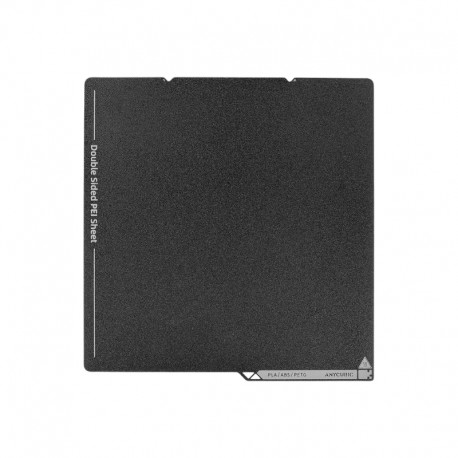
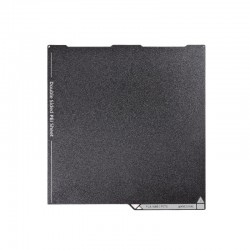
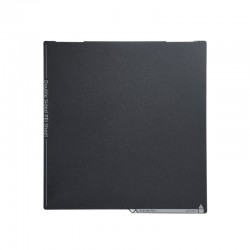
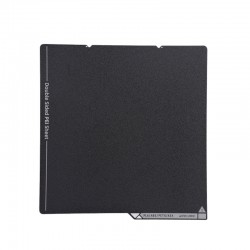
Anycubic Dual Sided Textured PEI Steel Build Plate for Kobra S1 Max
New product
- Remove this product from my favorite's list.
- Add this product to my list of favorites.
More info
The Anycubic Dual Sided Textured PEI Steel Build Plate is a large-format flexible printing surface designed for the Anycubic Kobra S1 Max and Kobra S1 Max Combo.
Featuring textured PEI printing surfaces and a flexible spring-steel core, the plate provides reliable first-layer adhesion while allowing completed models to be removed more easily after cooling. Simply remove the plate from the magnetic heated bed and gently flex it to release the printed part.
With an overall size of approximately 360 × 369mm, the plate is designed around the Kobra S1 Max's large 350 × 350mm XY printing area and is suitable as either a replacement for the original build plate or a spare surface for frequent printing.
Key Features
Dual-sided textured PEI printing surface
Flexible spring-steel construction
Designed for Anycubic Kobra S1 Max
Approx. 360 × 369mm overall size
Approx. 0.4mm plate thickness
Works with the magnetic heated-bed system
Reliable adhesion for compatible FDM materials
Flexible design for easier model removal
Dual-Sided Textured PEI Surface
The build plate provides textured PEI printing surfaces designed to combine strong first-layer adhesion with convenient model removal.
The textured finish also creates a fine textured pattern on the bottom surface of printed parts, providing a clean appearance without requiring additional finishing.
Having usable printing surfaces on both sides also provides additional flexibility when maintaining or rotating build plates.
Designed for Large-Format Printing
The Kobra S1 Max provides a large:
350 × 350 × 350mm build volume
The 360 × 369mm physical plate is sized to cover the printer's complete usable XY printing area while fitting correctly onto the magnetic heated bed.
The large platform is particularly useful for:
Helmets and cosplay parts
Large functional prototypes
Decorative models
Production components
Household organizers
Signs and lettering
Large enclosures
Multi-part assemblies
Reliable First-Layer Adhesion
Textured PEI provides good adhesion for a wide range of common FDM materials when the surface is clean and the correct bed temperature is used.
A properly prepared build plate helps reduce issues such as:
Warping
Corner lifting
First-layer separation
Model movement
Uneven bottom surfaces
Correct leveling, Z-offset, filament profile, and surface cleanliness are still important for consistent results.
Flexible Spring-Steel Core
The plate uses a flexible spring-steel base rather than a rigid glass platform.
After printing:
Allow the model and plate to cool.
Remove the spring-steel plate from the magnetic bed.
Gently flex the plate.
Allow the finished model to release.
This reduces the need to force a scraper underneath large prints and helps simplify part removal.
Magnetic Installation
The Kobra S1 Max uses a magnetic spring-steel build-plate system.
The plate attaches directly to the printer's magnetic heated bed, allowing it to be:
Installed without tools
Removed quickly
Repositioned easily
Swapped with another compatible plate
Always ensure that both the underside of the plate and the magnetic surface are clean before installation.
Even small pieces of filament or debris underneath the plate can affect flatness and first-layer consistency.
Heated Bed up to 120°C
The Kobra S1 Max heated bed supports temperatures up to:
120°C
This gives the printer flexibility for both everyday materials and engineering filaments that require higher build-plate temperatures.
Anycubic's current filament guidance lists textured PEI bed-temperature ranges such as:
| Material | Recommended Textured PEI Bed Temperature |
|---|---|
| PLA | 45–65°C |
| PLA-CF | 45–65°C |
| TPU | 35–45°C |
| PETG / PETG-CF | 60–80°C |
| ABS | 90–100°C |
| ASA | 90–100°C |
| PC | 100–120°C |
| PA | 100–120°C |
Actual settings should be selected according to the filament manufacturer and print profile.
Suitable for Engineering Materials
The Kobra S1 Max is designed to print a wide range of materials, including:
PLA
PETG
TPU
PET
PLA-CF
PETG-CF
PVA
ABS
ASA
PC
PA
PA6-CF
PC-CF
PC-GF
PET-CF
The textured PEI build plate provides a versatile surface for many of these materials when used with appropriate bed temperatures and release practices.
Works with the Enclosed Kobra S1 Max
The Kobra S1 Max is a fully enclosed CoreXY printer with active chamber heating.
Combined with the high-temperature heated bed, the PEI spring-steel plate can support printing workflows involving materials that benefit from a warmer and more stable environment.
Bed adhesion and release behavior vary between filament types, so use the correct material profile and adhesive or separation layer where recommended.
Easy Model Removal
Many printed parts release naturally as the PEI surface cools.
For larger parts:
Allow the plate to cool first
Remove it from the magnetic bed
Flex it gently in multiple directions
Avoid excessive bending
Avoid using sharp tools against the PEI coating
Large prints can store significant mechanical stress, so controlled removal is preferable to forcing the part from the plate.
Useful as a Spare Build Plate
A second build plate can improve workflow for users operating the Kobra S1 Max regularly.
One plate can remain with a completed model while it cools, while another is installed for the next print.
This is particularly useful for:
Print farms
Production environments
Workshops
Schools
Rapid prototyping
Small-batch manufacturing
Technical Specifications
| Specification | Details |
|---|---|
| Product Type | Flexible 3D Printer Build Plate |
| Brand | Anycubic |
| Compatible Printer | Kobra S1 Max / Kobra S1 Max Combo |
| Surface | Textured PEI |
| Surface Configuration | Dual Sided |
| Core Material | Spring Steel |
| Plate Size | Approx. 360 × 369mm |
| Plate Thickness | Approx. 0.4mm |
| Plate Weight | Approx. 907g |
| Printer XY Build Area | 350 × 350mm |
| Mounting | Magnetic |
| Maximum Heated Bed Temperature | 120°C |
| Package Dimensions | Approx. 467 × 470 × 11mm |
Applications
Large-format FDM printing
PLA printing
PETG printing
ABS printing
ASA printing
TPU printing
Engineering filament printing
Composite filament printing
Replacement of worn PEI plate
Replacement of damaged spring-steel plate
Spare printing surface
Print farm operation
Workshop and production use
Compatibility
Compatible with:
Anycubic Kobra S1 Max
Anycubic Kobra S1 Max Combo
The standalone and Combo versions use the same printer platform and build-plate format.
Do not assume compatibility with:
Anycubic Kobra S1
Kobra S1 Combo
Kobra X
Kobra 3
Kobra 3 Max
These printers use different build-plate dimensions.
Cleaning and Maintenance
Keeping the textured PEI surface clean is important for maintaining reliable adhesion.
For routine maintenance:
Allow the plate to cool before cleaning
Remove filament residue after printing
Handle the plate mainly by the edges
Avoid touching the printing area with oily fingers
Clean the surface when adhesion begins to decrease
Avoid sharp metal scrapers
Avoid damaging the textured coating
Surface contamination is one of the most common reasons for reduced PEI adhesion.
Installation Note
Before installing the plate:
Clean the magnetic heated bed
Remove any filament fragments or debris
Align the plate correctly
Make sure the entire surface sits flat
Check that no edge or corner is raised
Run leveling when required
Verify the first layer before starting a large print
Changing or replacing a build plate can slightly affect the nozzle-to-bed relationship, so checking calibration after installation is recommended.
Package Includes
1 × Anycubic Dual Sided Textured PEI Spring Steel Build Plate for Kobra S1 Max
Usage Note
Allow the plate to cool before removing large printed parts whenever possible.
Some materials, particularly PETG and selected engineering filaments, can bond strongly to PEI. Use the appropriate adhesive or separation layer where recommended rather than forcing the model from the surface. This helps protect the textured PEI coating and extend the service life of the build plate.
13 other products in the same category:
-
Snapmaker...
Rs 9,500.00
-

Antinsky...
Rs 3,700.00
-

Creality...
Rs 9,400.00
-
Antinsky...
Rs 4,500.00
-

Creality...
Rs 8,200.00
-

PEI Frosted...
Rs 4,500.00
-
Creality...
Rs 3,000.00
-

Creality...
Rs 4,000.00
-

Creality...
Rs 1,225.00 -50% Rs 2,450.00
-

Creality...
Rs 800.00
-
Anycubic...
Rs 4,700.00
-
Anycubic...
Rs 9,700.00
-
Anycubic...
Rs 4,700.00