
No products
Sensors, Limit Switches and Wires
- 3D Printing
- 3D Printers
- 3D Printer Parts
- Nozzles
- Hotends
- Extruders
- Bowden Tubes and Connectors
- Nozzle Wipers
- Filament Cutters
- Build Platforms and Parts
- 3D Printer Motherboards
- 3D Printer Displays
- Power Supply
- Motors and Parts
- Sensors, Limit Switches and Wires
- Fans and Parts
- Belts and Pulleys
- Bearings
- Structural Parts
- Filament Storage and Dryer
- Post Processing Equipment
- Multi Material Systems
- Multi Material Systems Parts
- Enclosure
- Lubricant
- Tools
- Print Kits
- Other
- 3D Filaments
- Resins
- 3D Scanners
- 3D Scanner Parts
- Machines
- CNC
- Manual
- CNC Parts
- Aluminum Extrusion
- Linear Shafts and Parts
- Linear Rails and Blocks
- Lead Screws and Parts
- Ball Screws and Parts
- Racks and Pinions
- Gears
- Bearings
- Couplings
- Belts
- Pulleys
- Belt Pulley Accessories
- Springs
- Screws Nuts Bolts
- Hardware
- CNC Controllers
- CNC Controller Parts
- CNC Motors and Drivers
- Power Supplies
- CNC Wires and Connectors
- Drag Chains
- Sensors and Switches
- Indicators
- Pneumatics, Water and Oil
- Dust Collectors
- Clamps
- Bits
- Plasma
- Lasers
- PLC and HMI
- Other
- Tools
- Power Tools
- Drills
- Rotary & Demolition Hammers
- Grinders
- Jigsaw
- Circular Saw
- Miter Saw
- Table Saw
- Electric Planer
- Trimmer and Router
- Electric Sander
- Electric Polisher
- Marble Cutter
- Cut Off Saw
- Welding Machine
- Air Compressors
- Electric Spray Gun
- High-Pressure Washer
- Air Blower
- Vacuum Cleaner
- Soldering Iron
- Heat Gun
- Glue Guns
- Electric Garden Tools
- Other Power Tools
- Cordless Tools
- Air Tools
- Hand Tools
- Measuring Tools
- Safety Tools
- Tool Accessories
- Power Tools
- Packaging
New products
-
Bambu Lab Extruder Unit for A1 Series
Rs 14,900.00 -
Bambu Lab Filament Sensor for A1 Series
Rs 2,200.00 -
Anycubic Hotend Heating Assembly for Kobra 3 Max
Rs 3,600.00 -
Bambu Lab Toolhead Board for X2D
Rs 28,000.00 -
-
Bambu Lab H3C Combo 3D Printer with AMS (Global Version)
12 Month Warranty Free Islandwide Delivery△
Rs 1,290,000.00 -
-
-
-
-
-
Anycubic Hardened Steel Nozzle for Kobra X
Rs 3,500.00
-

Bambu Lab X1 Carbon 3D Printer (China Mainland Version)
12 Month Warranty Free Islandwide...
Rs 395,000.00 Rs 490,000.00
 View larger
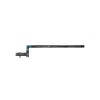
Bambu Lab Filament Sensor for A1 Series
New product
- Remove this product from my favorite's list.
- Add this product to my list of favorites.
More info
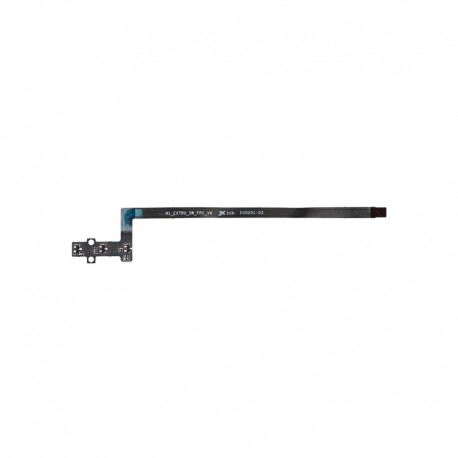
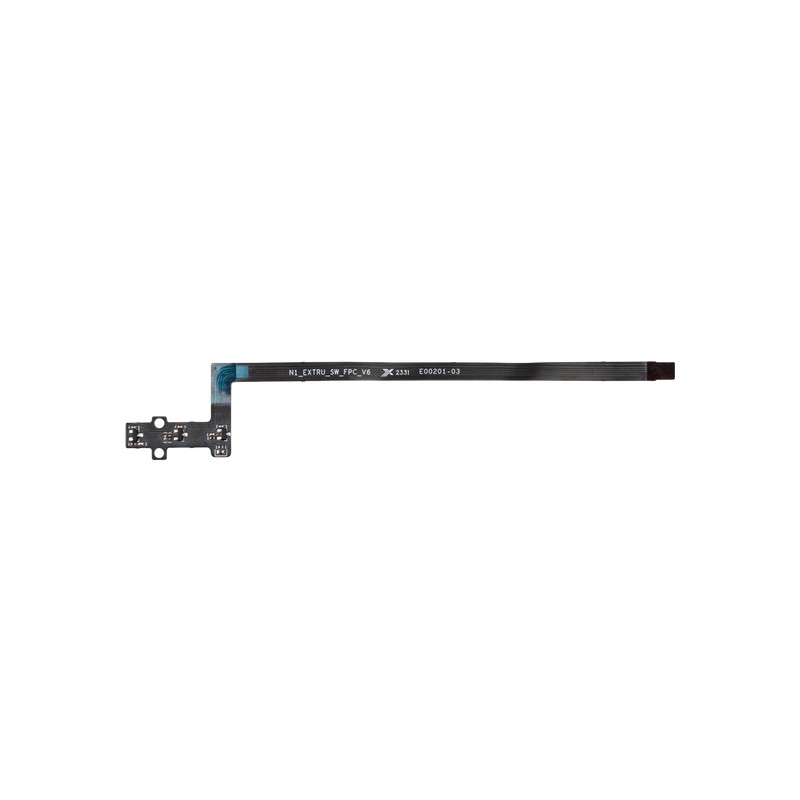
The Bambu Lab Filament Sensor for A1 Series is an original replacement sensor designed for the Bambu Lab A1 and A1 mini 3D printers.
Installed within the toolhead filament path, the sensor monitors filament feeding status and provides the printer with information about whether filament is entering or leaving the extrusion system. This allows the printer to manage filament loading, unloading, runout-related functions, and compatible AMS lite material switching more reliably.
The sensor can also detect filament-jamming conditions and communicate the issue to the printer, helping prevent continued printing when filament is unable to feed correctly.
Key Features
Original Bambu Lab replacement filament sensor
Part number FAE010
Compatible with Bambu Lab A1
Compatible with Bambu Lab A1 mini
Detects filament feeding status
Supports filament input and output detection
Works with AMS lite filament-switching workflows
Supports filament-jam detection
Includes two BT2-5 mounting screws
Filament Feeding Detection
The filament sensor monitors the movement and presence of filament through the A1 Series extrusion system.
This allows the printer to determine whether filament is correctly entering or leaving the toolhead during operations such as:
Filament loading
Filament unloading
Printing
Material changes
AMS lite filament switching
Reliable filament detection is important for maintaining normal automated printer operation.
Helps Prevent Print Failures
If filament feeding stops unexpectedly, continuing the print without material would result in an incomplete model.
The filament sensor helps the printer identify abnormal filament conditions so the machine can respond rather than continuing to print without proper extrusion.
This can help reduce failures caused by:
Filament running out
Filament not feeding correctly
Material-change problems
Filament jams
AMS Lite Integration
When the A1 or A1 mini is used with AMS lite, the printer needs to recognize when filament enters and exits the toolhead.
The filament sensor provides this information to the system during automatic filament changes.
This helps coordinate:
Filament loading
Filament withdrawal
Color changes
Material switching
AMS lite feeding operations
Filament Jam Detection
The sensor can also identify filament-jamming situations and report the condition to the printer.
A jam may occur due to several causes, including:
Filament deformation
Extruder blockage
Hotend clogging
Incorrect filament loading
Damaged filament
Excessive feeding resistance
The sensor helps identify the feeding problem, but the actual mechanical cause should still be diagnosed separately.
Original Replacement Part
FAE010 is designed specifically for the Bambu Lab A1 Series toolhead.
Using the correct replacement part ensures the sensor fits the intended mounting position and connects correctly with the printer's existing electronics.
It is suitable for:
Repairing a failed filament sensor
Replacing a physically damaged sensor
Resolving confirmed filament-detection faults
Printer refurbishment
Maintenance spare-part inventory
Common Symptoms of a Filament Sensor Problem
Replacement may be considered when troubleshooting confirms symptoms such as:
Printer reports no filament when filament is loaded
Filament presence is not detected
Filament loading prompt does not respond correctly
Filament changes fail unexpectedly
AMS lite switching does not complete correctly
Filament runout is not detected
Repeated false filament-related errors
These symptoms do not automatically confirm that the sensor itself is defective.
Check the Filament Path First
Before replacing the sensor, inspect other possible causes such as:
Filament stuck inside the extruder
Damaged or deformed filament
PTFE tube obstruction
Loose electrical connector
Damaged sensor cable
Extruder gear blockage
Hotend clog
Incorrect assembly after previous maintenance
Replacing the sensor is most appropriate after the fault has been isolated to the sensor or its immediate assembly.
Technical Specifications
| Specification | Details |
|---|---|
| Product Type | Filament Sensor |
| Brand | Bambu Lab |
| Part Number | FAE010 |
| Compatible Series | A1 Series |
| Compatible Printers | A1 / A1 mini |
| Main Function | Filament Feeding Detection |
| Filament Input / Output Detection | Yes |
| AMS Lite Integration | Yes |
| Filament Jam Detection | Yes |
| Material | PCBA |
| Color | Black |
| Package Size | Approx. 105 × 54 × 33mm |
| Package Weight | Approx. 20g |
Applications
A1 filament sensor replacement
A1 mini filament sensor replacement
Filament runout troubleshooting
Filament-loading repair
AMS lite feeding troubleshooting
Filament-jam detection repair
Toolhead maintenance
Printer refurbishment
Print farm spare-part inventory
Compatibility
Compatible with:
Bambu Lab A1
Bambu Lab A1 mini
A1 Series printers used with compatible AMS lite systems
Package Includes
1 × Bambu Lab Filament Sensor
2 × BT2-5 Screws
Installation Note
Before replacing the filament sensor:
Unload filament where possible
Switch off the printer
Disconnect the printer from power
Allow the hotend to cool completely
Remove the required toolhead covers carefully
Note the original cable and connector positions
Disconnect the sensor connector without pulling on the wires
Install the new sensor in the correct orientation
Secure it using the supplied BT2-5 screws
Confirm the connector is fully seated
Reassemble the toolhead before restoring power
Follow the Bambu Lab A1 Series service procedure when replacing the sensor.
Testing After Installation
After replacement:
Power on the printer.
Load filament manually or through AMS lite.
Confirm that filament presence is detected.
Unload the filament.
Confirm that the printer recognizes the filament leaving the toolhead.
If AMS lite is installed, perform a normal filament-loading or switching test.
Check that no filament-related error remains.
Troubleshooting Note
A filament-detection error does not necessarily mean the FAE010 sensor has failed.
Similar symptoms can also be caused by:
Filament blockage
Extruder problems
Loose connectors
Damaged wiring
PTFE tube obstruction
AMS lite feeding problems
Hotend clogging
Inspect the complete filament path and toolhead assembly before replacing parts.
Usage Note
This product is the Bambu Lab FAE010 Filament Sensor for the A1 Series.
It is intended for Bambu Lab A1 and A1 mini printers and includes the sensor and its two mounting screws.
Extruder assemblies, toolhead boards, hotends, PTFE tubes, AMS lite components, cables, and other printer parts are not included unless separately specified.
13 other products in the same category:
-

Filament...
Rs 420.00
-

Black Limit...
Rs 210.00
-

BIGTREETECH...
Rs 3,300.00 -50% Rs 6,600.00
-

Red Optical...
Rs 290.00
-

Red Limit...
Rs 230.00
-

4mm...
Rs 100.00
-

6mm...
Rs 120.00
-

8mm...
Rs 140.00
-

10mm...
Rs 160.00
-

Horizontal...
Rs 170.00
-

Filament...
Rs 520.00
-

Bambu Lab...
Rs 3,000.00
-

Creality...
Rs 500.00