
No products
Nozzles
- 3D Printing
- 3D Printers
- 3D Printer Parts
- Nozzles
- Hotends
- Extruders
- Bowden Tubes and Connectors
- Nozzle Wipers
- Filament Cutters
- Build Platforms and Parts
- 3D Printer Motherboards
- 3D Printer Displays
- Power Supply
- Motors and Parts
- Sensors, Limit Switches and Wires
- Fans and Parts
- Belts and Pulleys
- Bearings
- Structural Parts
- Filament Storage and Dryer
- Post Processing Equipment
- Multi Material Systems
- Multi Material Systems Parts
- Enclosure
- Lubricant and Thermal Grease
- Tools
- Print Kits
- Other
- 3D Filaments
- Resins
- 3D Scanners
- 3D Scanner Parts
- Machines and Parts
- CNC
- Manual
- CNC Parts
- Aluminum Extrusion
- Linear Shafts and Parts
- Linear Rails and Blocks
- Lead Screws and Parts
- Ball Screws and Parts
- Racks and Pinions
- Gears
- Bearings
- Couplings
- Belts
- Pulleys
- Belt Pulley Accessories
- Springs
- Screws Nuts Bolts
- Hardware
- CNC Controllers
- CNC Controller Parts
- CNC Motors and Drivers
- Power Supplies
- CNC Wires and Connectors
- Drag Chains
- Sensors and Switches
- Indicators
- Pneumatics, Water and Oil
- Dust Collectors
- Clamps
- Bits
- Plasma
- Lasers
- PLC and HMI
- Other
- Tools
- Power Tools
- Drills
- Rotary & Demolition Hammers
- Grinders
- Jigsaw
- Circular Saw
- Miter Saw
- Table Saw
- Electric Planer
- Trimmer and Router
- Electric Sander
- Electric Polisher
- Marble Cutter
- Cut Off Saw
- Welding Machine
- Air Compressors
- Electric Spray Gun
- High-Pressure Washer
- Air Blower
- Vacuum Cleaner
- Soldering Iron
- Heat Gun
- Glue Guns
- Electric Garden Tools
- Other Power Tools
- Cordless Tools
- Air Tools
- Hand Tools
- Measuring Tools
- Safety Tools
- Tool Accessories
- Power Tools
- Packaging
New products
-
-
-
-
-
-
-
-
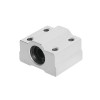
6mm Linear Bearing Long Block - SCS6UU
Rs 450.00 -
6mm Short Linear Bearing - LM6UU
Rs 200.00 -
6mm Linear Shaft Rod Support - SHF6
Rs 400.00 -
6mm Linear Shaft Rod Support - SK6
Rs 390.00 -
Bambu Lab Extruder Unit for A1 Series
Rs 14,900.00
-

Creality Sprite Extruder SE with Stepper for Ender 3 Series and Ender 5 Series
Original Spare Parts from Creality 3D...
Rs 8,925.00 -15% Rs 10,500.00
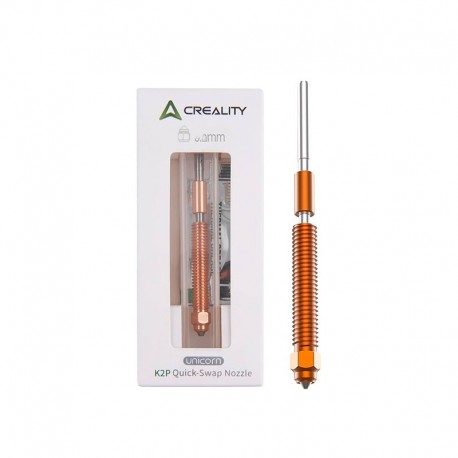
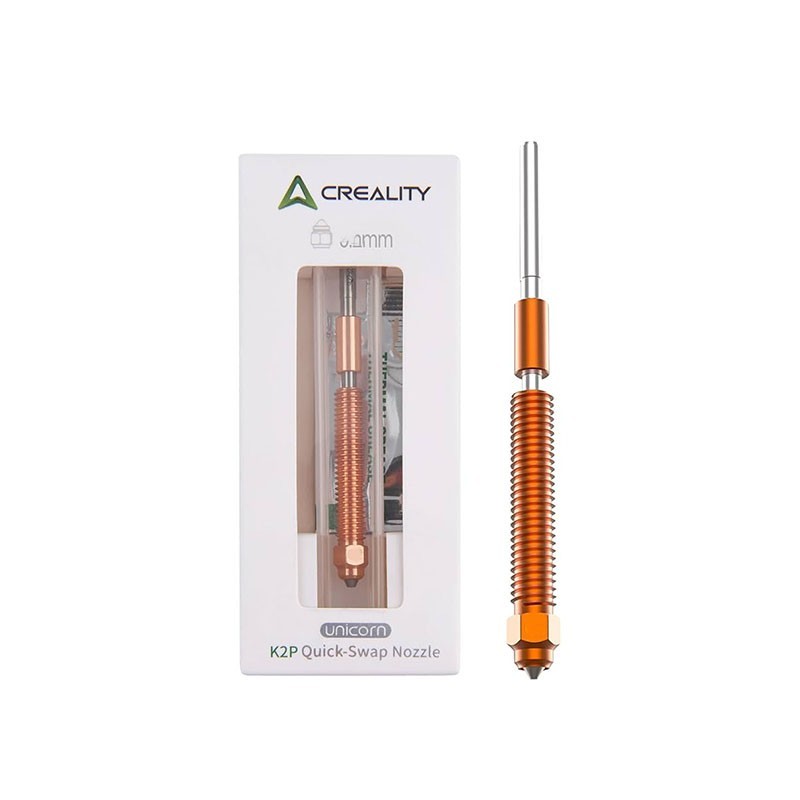
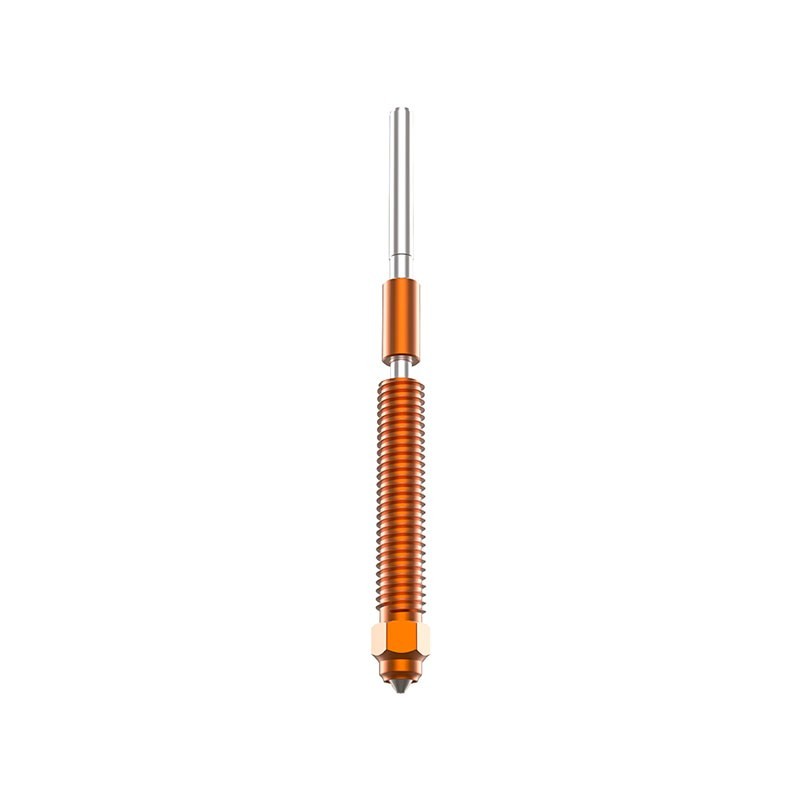
Creality Unicorn K2P Quick-Swap Nozzle for Hi and K2 Series
New product
- Remove this product from my favorite's list.
- Add this product to my list of favorites.
More info
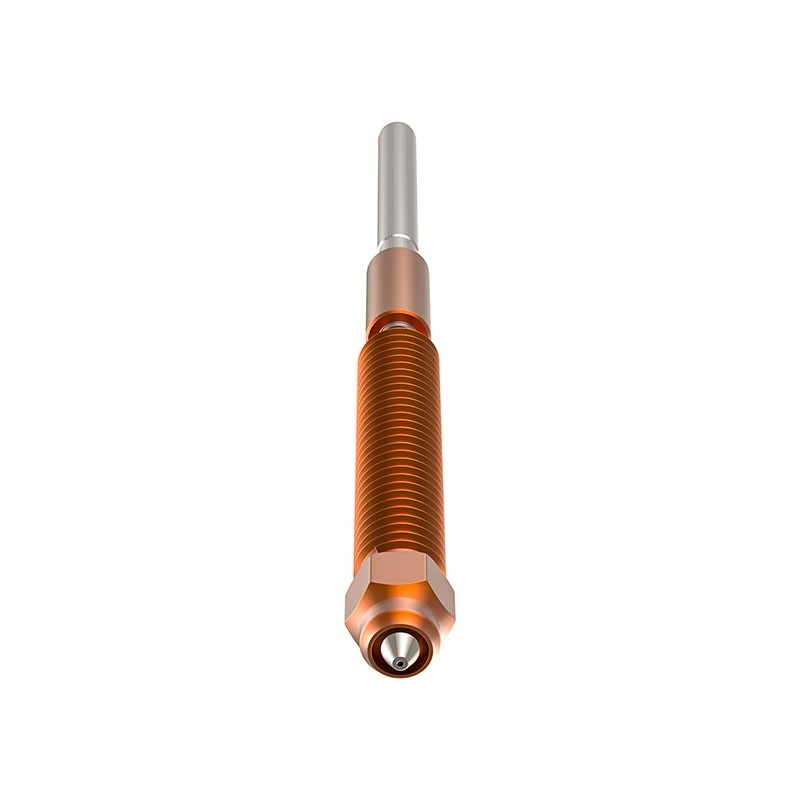
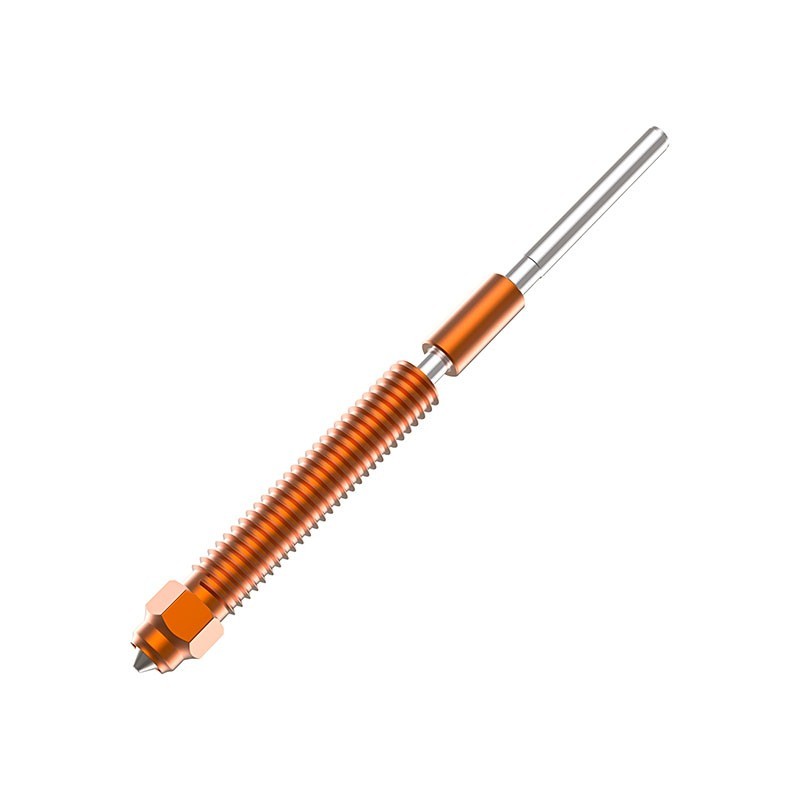
The Creality Unicorn K2P Quick-Swap Nozzle is an original integrated nozzle assembly designed for the Creality Hi and current K2 Series high-speed 3D printers.
Its Unicorn-style integrated construction combines the nozzle and heatbreak into a compact replaceable assembly, simplifying nozzle changes while maintaining the precise geometry required by Creality's high-flow hotend system.
The nozzle uses a thermally efficient copper-alloy body together with a wear-resistant hardened-steel extrusion tip, providing a useful combination of fast heat transfer and durability for both standard and compatible abrasive engineering filaments.
Available nozzle diameters include 0.2mm, 0.4mm, 0.6mm and 0.8mm, allowing the printer to be configured for everything from fine-detail printing to large, high-flow functional parts.
Key Features
Original Creality Unicorn K2P nozzle
Designed for Creality Hi and K2 Series
Integrated quick-swap nozzle and heatbreak design
Available in 0.2 / 0.4 / 0.6 / 0.8mm
Copper-alloy thermal body
Hardened-steel nozzle tip
Suitable for compatible abrasive composite filaments
Supports 1.75mm filament
Multiple nozzle sizes for different detail and flow requirements
Easier servicing than conventional multi-piece hotend assemblies
Compatible Printers
Creality currently lists compatibility with:
Creality Hi
Creality K2
Creality K2 Combo
Creality K2 Pro
Creality K2 Pro Combo
Creality K2 Plus
Creality K2 Plus Combo
These printers use the compatible K2P Unicorn nozzle architecture.
Available Nozzle Sizes
| Nozzle Size | Typical Application |
|---|---|
| 0.2mm | Fine details, miniatures, small text |
| 0.4mm | General-purpose printing |
| 0.6mm | Faster functional printing and composite materials |
| 0.8mm | Large models, thick walls and high-flow printing |
Choosing the correct nozzle size allows users to balance detail, printing speed and material throughput according to the application.
0.2mm for Fine Detail
The 0.2mm nozzle is designed for models where fine features are more important than maximum printing speed.
It is particularly useful for:
Miniatures
Small lettering
Fine decorative parts
Detailed prototypes
Small precision models
Because the opening is smaller, printing speeds and volumetric flow generally need to be reduced compared with larger nozzle sizes.
Creality Part Number: 4008030090
0.4mm for General Printing
The 0.4mm nozzle provides the most balanced combination of:
Detail
Surface quality
Printing speed
Layer strength
Material flow
It is an excellent general-purpose choice for everyday printing.
Creality Part Number: 4008030074
0.6mm for Faster Functional Printing
The 0.6mm nozzle allows significantly more material to flow through the hotend compared with a 0.4mm nozzle.
It is suitable for:
Functional parts
Larger prototypes
Thicker walls
Faster printing
Higher layer heights
Fiber-reinforced materials
The larger opening is also useful for composite filaments containing fibers or particles, as it reduces the likelihood of blockage compared with very small nozzle diameters.
Creality Part Number: 4008030073
0.8mm for High-Flow Printing
The 0.8mm nozzle is designed for applications where material throughput and printing speed are more important than fine surface detail.
Typical applications include:
Large prototypes
Structural parts
Cosplay components
Large functional models
Thick-wall parts
Rapid concept models
Creality Part Number: 4008030091
Integrated Unicorn Design
Unlike a conventional nozzle that threads separately into a heater block and heatbreak, the Unicorn system combines key hotend components into one integrated assembly.
This helps provide:
Consistent internal geometry
Simplified nozzle replacement
Fewer internal sealing interfaces
Easier hotend maintenance
Reduced risk of incorrect nozzle-to-heatbreak assembly
The replacement process is therefore more straightforward than servicing a traditional multi-piece hotend.
Copper-Alloy Thermal Section
The main heated section uses copper alloy for efficient thermal transfer.
Good thermal conductivity helps move heat from the heater into the filament quickly, which is particularly important during high-speed printing where material moves rapidly through the melt zone.
This helps support:
Rapid filament melting
Stable extrusion
High material flow
Consistent thermal performance
Hardened-Steel Nozzle Tip
The extrusion tip uses hardened steel for improved resistance to abrasive filament wear.
This makes the nozzle suitable for compatible materials containing additives such as:
Carbon fiber
Glass fiber
Other abrasive reinforcement materials
A hardened extrusion tip generally provides much better wear resistance than conventional brass when abrasive materials are printed regularly.
Suitable Filament Types
Typical compatible filament families include:
PLA
PLA+
PETG
ABS
ASA
TPU
PP
PC
PLA-CF
PETG-CF
PA-CF
PET-CF
Other compatible engineering filaments
Actual material compatibility depends on the specific printer's hotend temperature, chamber configuration, build surface and filament requirements.
Different Nozzle Sizes for Different Jobs
Changing nozzle diameter can significantly alter how a printer performs.
| Feature | 0.2mm | 0.4mm | 0.6mm | 0.8mm |
|---|---|---|---|---|
| Fine Detail | Excellent | Very Good | Moderate | Lower |
| Printing Speed Potential | Lower | Good | High | Very High |
| Material Flow | Low | Medium | High | Very High |
| Large Models | Limited | Good | Very Good | Excellent |
| Functional Parts | Good | Very Good | Excellent | Excellent |
| Composite Filaments | Less Preferred | Suitable | Recommended for many types | Very Good |
The appropriate nozzle should be selected according to both the model and filament manufacturer's recommendations.
Slicer Configuration
When changing nozzle diameter, the nozzle size must also be changed in the slicer.
Important settings affected include:
Nozzle diameter
Line width
Layer height
Maximum volumetric flow
Printing speed
Retraction
Temperature
Cooling
Wall thickness
Using a slicer profile configured for the wrong nozzle diameter can cause incorrect extrusion and poor print quality.
Individual Nozzle Part Numbers
| Nozzle | Creality Part Number |
|---|---|
| Unicorn K2P 0.2mm | 4008030090 |
| Unicorn K2P 0.4mm | 4008030074 |
| Unicorn K2P 0.6mm | 4008030073 |
| Unicorn K2P 0.8mm | 4008030091 |
Technical Specifications
| Specification | Details |
|---|---|
| Product Type | Integrated Quick-Swap Nozzle |
| Brand | Creality |
| Series | Unicorn K2P |
| Filament Diameter | 1.75mm |
| Available Nozzle Diameters | 0.2 / 0.4 / 0.6 / 0.8mm |
| Thermal Body Material | Copper Alloy |
| Nozzle Tip Material | Hardened Steel |
| Design | Integrated Nozzle / Heatbreak |
| Primary Compatibility | Creality Hi / K2 Series |
| Individual Package Size | Approx. 40 × 18 × 96.5mm |
| Individual Gross Weight | Approx. 20g |
Applications
Creality Hi nozzle replacement
K2 nozzle replacement
K2 Pro nozzle replacement
K2 Plus nozzle replacement
Fine-detail printing
High-speed FDM printing
Functional part production
Composite filament printing
Large prototype printing
Print farm maintenance
Spare nozzle inventory
Installation
Before replacing the nozzle:
Unload the filament.
Follow the printer's nozzle replacement procedure.
Switch off the printer when instructed.
Allow the hotend to cool before handling.
Remove the required toolhead cover and silicone sock.
Release the installed Unicorn nozzle assembly.
Remove the existing nozzle carefully.
Install the replacement nozzle fully into position.
Reassemble the hotend and toolhead.
Select the correct nozzle diameter in the printer and slicer.
Perform calibration if required.
Avoid forcing the nozzle or damaging heater, sensor or toolhead wiring during servicing.
After Changing Nozzle Diameter
After installing a different nozzle size:
Select the new nozzle diameter in the printer settings
Select or create the correct slicer profile
Confirm suitable layer heights
Adjust maximum volumetric flow where required
Check temperature and cooling settings
Run a test print before beginning a long job
This is particularly important when moving between very different sizes such as 0.2mm and 0.8mm.
Package Includes
For individual variations:
1 × Creality Unicorn K2P Quick-Swap Nozzle in selected diameter
Available:
0.2mm
0.4mm
0.6mm
0.8mm
Usage Note
The Unicorn K2P nozzle is specifically designed for the Creality Hi and compatible K2 Series hotend platform.
Do not confuse it with the earlier Unicorn nozzle used on printers such as Ender-3 V3, Ender-3 V3 Plus and K1C. Although both use Creality's Unicorn naming, their hotend geometry and compatibility are different.
Always match the replacement nozzle to the exact printer and hotend version before installation.
24 other products in the same category:
-

MK8...
Rs 500.00
-

MK8...
Rs 135.00
-

Pointed MK8...
Rs 50.00
-

MK8...
Rs 50.00
-

Creality...
Rs 240.00
-

E3D V6 TC4...
Rs 700.00
-

E3D V6...
Rs 50.00
-

Creality...
Rs 170.00
-

Volcano...
Rs 100.00
-

Airbrush...
Rs 490.00
-

MK8 PTFE...
Rs 230.00
-
Creality...
Rs 260.00
-

Creality...
Rs 1,800.00
-

Creality...
Rs 1,300.00
-

Anycubic...
Rs 1,200.00
-

High Flow...
Rs 550.00
-
Creality...
Rs 3,200.00
-

Creality...
Rs 1,200.00
-

Creality...
Rs 8,100.00
-

MK8 TC4...
Rs 700.00
-
Creality...
Rs 3,500.00
-
Anycubic...
Rs 2,600.00
-
Anycubic...
Rs 3,500.00
-
Anycubic...
Rs 3,500.00


