

No products
Fans and Parts
- 3D Printing
- 3D Printers
- 3D Printer Parts
- Nozzles
- Hotends
- Extruders
- Bowden Tubes and Connectors
- Nozzle Wipers
- Filament Cutters
- Build Platforms and Parts
- 3D Printer Motherboards
- 3D Printer Displays
- Power Supply
- Motors and Parts
- Sensors, Limit Switches and Wires
- Fans and Parts
- Belts and Pulleys
- Bearings
- Structural Parts
- Filament Storage and Dryer
- Post Processing Equipment
- Multi Material Systems
- Multi Material Systems Parts
- Enclosure
- Lubricant
- Tools
- Print Kits
- Other
- 3D Filaments
- Resins
- 3D Scanners
- 3D Scanner Parts
- Machines
- CNC
- Manual
- CNC Parts
- Aluminum Extrusion
- Linear Shafts and Parts
- Linear Rails and Blocks
- Lead Screws and Parts
- Ball Screws and Parts
- Racks and Pinions
- Gears
- Bearings
- Couplings
- Belts
- Pulleys
- Belt Pulley Accessories
- Springs
- Screws Nuts Bolts
- Hardware
- CNC Controllers
- CNC Controller Parts
- CNC Motors and Drivers
- Power Supplies
- CNC Wires and Connectors
- Drag Chains
- Sensors and Switches
- Indicators
- Pneumatics, Water and Oil
- Dust Collectors
- Clamps
- Bits
- Plasma
- Lasers
- PLC and HMI
- Other
- Tools
- Power Tools
- Drills
- Rotary & Demolition Hammers
- Grinders
- Jigsaw
- Circular Saw
- Miter Saw
- Table Saw
- Electric Planer
- Trimmer and Router
- Electric Sander
- Electric Polisher
- Marble Cutter
- Cut Off Saw
- Welding Machine
- Air Compressors
- Electric Spray Gun
- High-Pressure Washer
- Air Blower
- Vacuum Cleaner
- Soldering Iron
- Heat Gun
- Glue Guns
- Electric Garden Tools
- Other Power Tools
- Cordless Tools
- Air Tools
- Hand Tools
- Measuring Tools
- Safety Tools
- Tool Accessories
- Power Tools
- Packaging
New products
-
Bambu Lab Part Cooling Fan for H2D and H2C
Rs 10,400.00 -
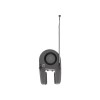
Bambu Lab Part Cooling Fan for A2L
Rs 5,100.00 -
Bambu Lab Part Cooling Fan for A1 Series
Rs 5,100.00 -
Bambu Lab Hotend Cooling Fan for H2S
Rs 4,900.00 -
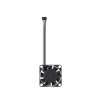
Bambu Lab Hotend Cooling Fan for X2D
Rs 4,900.00 -
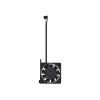
Bambu Lab Hotend Cooling Fan for P2S
Rs 4,900.00 -
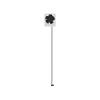
Bambu Lab Hotend Cooling Fan for A2L
Rs 4,900.00 -
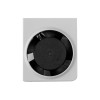
Bambu Lab Hotend Cooling Fan for A1 Series
Rs 4,900.00 -
Bambu Lab Filament Buffer for H2S
Rs 14,500.00 -
Bambu Lab Filament Buffer for H2D and H2C
Rs 15,900.00 -
Bambu Lab Filament Buffer for X2D
Rs 16,700.00 -
Bambu Lab Filament Buffer for P2S
Rs 10,400.00
-
18 in 1 Snowflake Multi Wrench Screwdriver Combination Socket Nut Tool
Rs 693.00 -30% Rs 990.00
 View larger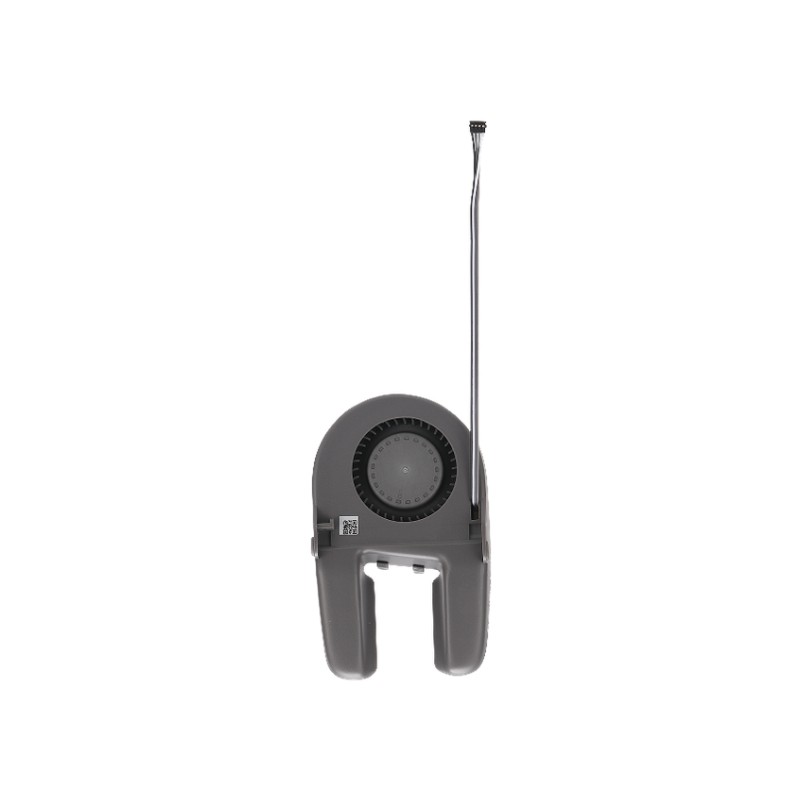
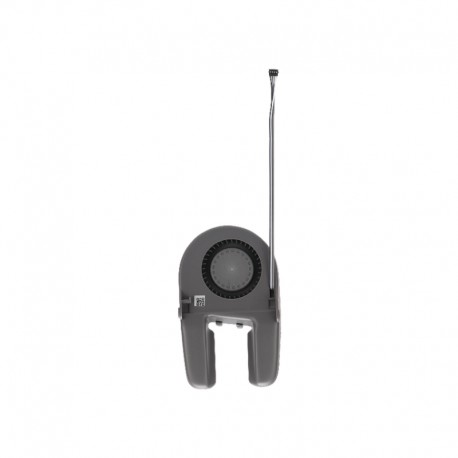
Bambu Lab Part Cooling Fan for A2L
New product
- Remove this product from my favorite's list.
- Add this product to my list of favorites.
More info
The Bambu Lab Part Cooling Fan for A2L is an original replacement fan designed specifically for cooling freshly extruded filament during printing on the Bambu Lab A2L.
The fan directs airflow toward newly deposited layers, helping the material cool and solidify quickly before subsequent layers are added. Effective part cooling is important for maintaining accurate model geometry and improving the quality of overhangs, bridges, small details, and sharp features.
The FAF026 fan is suitable for replacing a damaged, noisy, or non-functioning original A2L part cooling fan and restores the intended model-cooling performance of the toolhead.
Key Features
Original Bambu Lab replacement part cooling fan
Part number FAF026
Designed specifically for Bambu Lab A2L
Cools freshly extruded filament during printing
Helps improve overhang and bridge quality
Supports sharper details and cleaner model geometry
Helps newly deposited layers solidify quickly
Direct replacement for the original A2L part cooling fan
Rapid Cooling of Freshly Printed Layers
After filament leaves the nozzle, it remains soft for a short period before solidifying.
The part cooling fan directs controlled airflow toward the printed model, helping each newly deposited layer cool more quickly.
Effective cooling can improve:
Overhang quality
Bridge performance
Sharp corners
Fine details
Small features
Surface definition
Dimensional stability
Improved Overhang Performance
Overhangs have limited support from the layers underneath them.
Rapid cooling helps the freshly deposited filament hold its intended position before gravity causes it to sag or deform.
A correctly operating part cooling fan therefore plays an important role when printing models with complex geometry.
Better Bridge Printing
During bridge printing, filament must span an unsupported gap between two supported areas.
Cooling the extruded material quickly helps the strand retain its shape while crossing the gap, reducing sagging and improving bridge consistency.
Bridge performance also depends on settings such as extrusion temperature, print speed, bridge flow, filament type, and bridge length.
Better Fine Details
Small features can remain hot because the nozzle returns to the same area very quickly.
The part cooling fan helps remove this excess heat so each layer has more time to solidify before additional material is deposited.
This is particularly useful when printing:
Miniatures
Fine lettering
Thin walls
Small towers
Sharp tips
Decorative details
Detailed prototypes
Important for PLA Printing
PLA and many similar materials benefit significantly from strong part cooling.
Proper airflow helps the material solidify quickly after extrusion, supporting cleaner edges, better overhangs, and improved dimensional accuracy.
Cooling requirements vary between filament types. Some engineering materials require reduced cooling, so the correct filament profile should always be used.
Designed Specifically for A2L
The FAF026 fan is designed for the Bambu Lab A2L toolhead.
Its physical design, mounting arrangement, electrical connection, and airflow path are intended for the A2L.
Part cooling fans from the A1 Series, P Series, X Series, H2 Series, or other Bambu Lab printers should not be assumed to be interchangeable.
Part Cooling Fan vs Hotend Cooling Fan
The A2L uses separate cooling components for different purposes.
Part Cooling Fan – FAF026
Cools the printed model
Helps freshly extruded layers solidify
Improves bridges and overhangs
Supports detailed printing
Hotend Cooling Fan – FAF027
Cools the upper hotend area
Helps prevent heat creep
Keeps filament from softening prematurely
Supports reliable filament feeding
These two fans perform different functions and should not be confused when troubleshooting the printer.
Useful Replacement Part
Replacement may be appropriate if the original part cooling fan develops symptoms such as:
Fan not spinning
Reduced airflow
Rattling or grinding noise
Intermittent fan operation
Damaged fan blades
Damaged wiring or connector
Fan damaged during a print failure
Poor part cooling despite correct slicer settings
Installing the correct FAF026 replacement helps restore normal A2L model-cooling performance.
Technical Specifications
| Specification | Details |
|---|---|
| Product Type | Part Cooling Fan |
| Brand | Bambu Lab |
| Part Number | FAF026 |
| Compatible Printer | Bambu Lab A2L |
| Main Function | Printed Part / Layer Cooling |
| Installation Area | Toolhead |
| Material | Plastic |
| Color | Black |
| Packaging Size | Approx. 135 × 100 × 45mm |
| Packaging Weight | Approx. 0.0373kg |
Applications
Cooling freshly deposited layers
Improving PLA print quality
Overhang cooling
Bridge printing
Fine-detail printing
Small-feature printing
Toolhead maintenance
Replacement of damaged part cooling fan
A2L repair and servicing
Print farm spare-part inventory
Compatibility
Compatible with:
Bambu Lab A2L
This is the dedicated A2L version. Other Bambu Lab printer models may use different fan dimensions, connectors, mounting arrangements, or airflow designs.
Package Includes
1 × Bambu Lab Part Cooling Fan for A2L
Mounting screws
Installation Note
Switch off the printer and disconnect it from power before replacing the fan.
During installation:
Remove the required toolhead covers
Disconnect the original fan connector carefully
Avoid pulling directly on the wires
Install the replacement fan in the correct orientation
Secure the fan using the appropriate mounting screws
Route the cable correctly
Ensure the fan blades rotate freely
Confirm normal fan operation after reassembly
Troubleshooting Note
Poor overhangs or weak layer cooling do not always indicate a failed part cooling fan.
Similar symptoms can also result from:
Incorrect slicer fan settings
Excessive nozzle temperature
Printing too quickly
Incorrect bridge settings
Unsuitable filament profile
Blocked airflow path
Toolhead wiring problems
Check both fan operation and printing parameters before replacing components.
Usage Note
This product includes the A2L part cooling fan and its mounting hardware only. The hotend cooling fan, hotend, extruder, toolhead board, and other toolhead components are not included unless separately specified.
28 other products in the same category:
-

Duct for...
Rs 60.00
-

4010 Turbo...
Rs 440.00
-

Creality...
Rs 570.00
-

4010 Axial...
Rs 200.00
-
40x40mm Fan...
Rs 50.00
-

Creality...
Rs 2,100.00
-

Transparent...
Rs 570.00
-

4020 Axial...
Rs 250.00
-
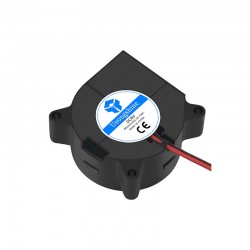
4020 Turbo...
Rs 360.00
-

5010 Axial...
Rs 210.00
-

6015 Axial...
Rs 340.00
-

8025 Axial...
Rs 360.00
-

Bambu Lab...
Rs 5,200.00
-

Bambu Lab...
Rs 5,400.00
-

Creality...
Rs 1,450.00
-
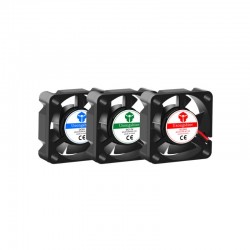
3010 Axial...
Rs 270.00
-
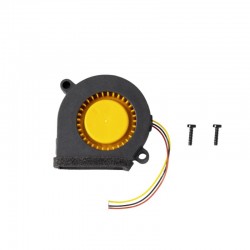
Snapmaker...
Rs 3,700.00
-
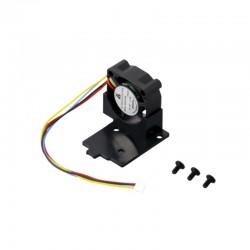
Snapmaker...
Rs 3,700.00
-

120x120x25m...
Rs 1,400.00
-

Creality...
Rs 2,400.00
-
Creality...
Rs 2,400.00
-
Bambu Lab...
Rs 11,400.00
-
Bambu Lab...
Rs 4,900.00
-
Bambu Lab...
Rs 4,900.00
-
Bambu Lab...
Rs 4,900.00
-
Bambu Lab...
Rs 4,900.00
-
Bambu Lab...
Rs 4,900.00
-
Bambu Lab...
Rs 5,100.00