
No products
Fans and Parts
- 3D Printing
- 3D Printers
- 3D Printer Parts
- Nozzles
- Hotends
- Extruders
- Bowden Tubes and Connectors
- Nozzle Wipers
- Filament Cutters
- Build Platforms and Parts
- 3D Printer Motherboards
- 3D Printer Displays
- Power Supply
- Motors and Parts
- Sensors, Limit Switches and Wires
- Fans and Parts
- Belts and Pulleys
- Bearings
- Structural Parts
- Filament Storage and Dryer
- Post Processing Equipment
- Multi Material Systems
- Multi Material Systems Parts
- Enclosure
- Lubricant and Thermal Grease
- Tools
- Print Kits
- Other
- 3D Filaments
- Resins
- 3D Scanners
- 3D Scanner Parts
- Machines and Parts
- CNC
- Manual
- CNC Parts
- Aluminum Extrusion
- Linear Shafts and Parts
- Linear Rails and Blocks
- Lead Screws and Parts
- Ball Screws and Parts
- Racks and Pinions
- Gears
- Bearings
- Couplings
- Belts
- Pulleys
- Belt Pulley Accessories
- Springs
- Screws Nuts Bolts
- Hardware
- CNC Controllers
- CNC Controller Parts
- CNC Motors and Drivers
- Power Supplies
- CNC Wires and Connectors
- Drag Chains
- Sensors and Switches
- Indicators
- Pneumatics, Water and Oil
- Dust Collectors
- Clamps
- Bits
- Plasma
- Lasers
- PLC and HMI
- Other
- Tools
- Power Tools
- Drills
- Rotary & Demolition Hammers
- Grinders
- Jigsaw
- Circular Saw
- Miter Saw
- Table Saw
- Electric Planer
- Trimmer and Router
- Electric Sander
- Electric Polisher
- Marble Cutter
- Cut Off Saw
- Welding Machine
- Air Compressors
- Electric Spray Gun
- High-Pressure Washer
- Air Blower
- Vacuum Cleaner
- Soldering Iron
- Heat Gun
- Glue Guns
- Electric Garden Tools
- Other Power Tools
- Cordless Tools
- Air Tools
- Hand Tools
- Measuring Tools
- Safety Tools
- Tool Accessories
- Power Tools
- Packaging
New products
-
-
-
-
-
-
-
-
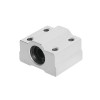
6mm Linear Bearing Long Block - SCS6UU
Rs 450.00 -
6mm Short Linear Bearing - LM6UU
Rs 200.00 -
6mm Linear Shaft Rod Support - SHF6
Rs 400.00 -
6mm Linear Shaft Rod Support - SK6
Rs 390.00 -
Bambu Lab Extruder Unit for A1 Series
Rs 14,900.00
-
Creality Red MK8 Metal Aluminum Extruder (Right)
Original Spare Parts from Creality 3D...
Rs 1,900.00 Rs 2,600.00
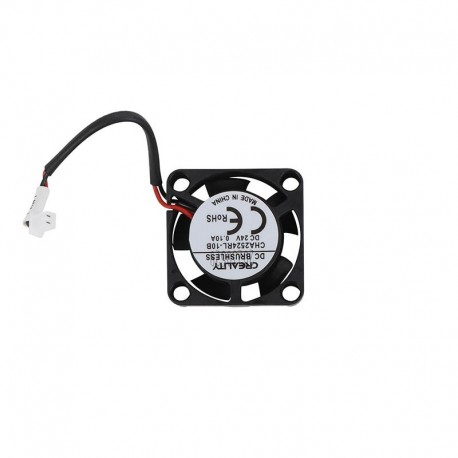
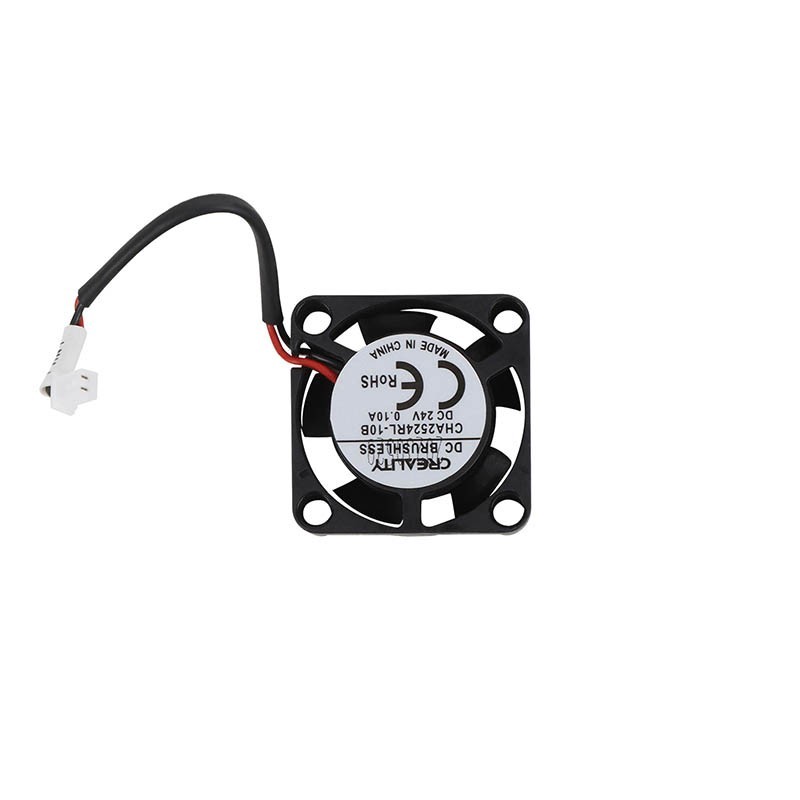
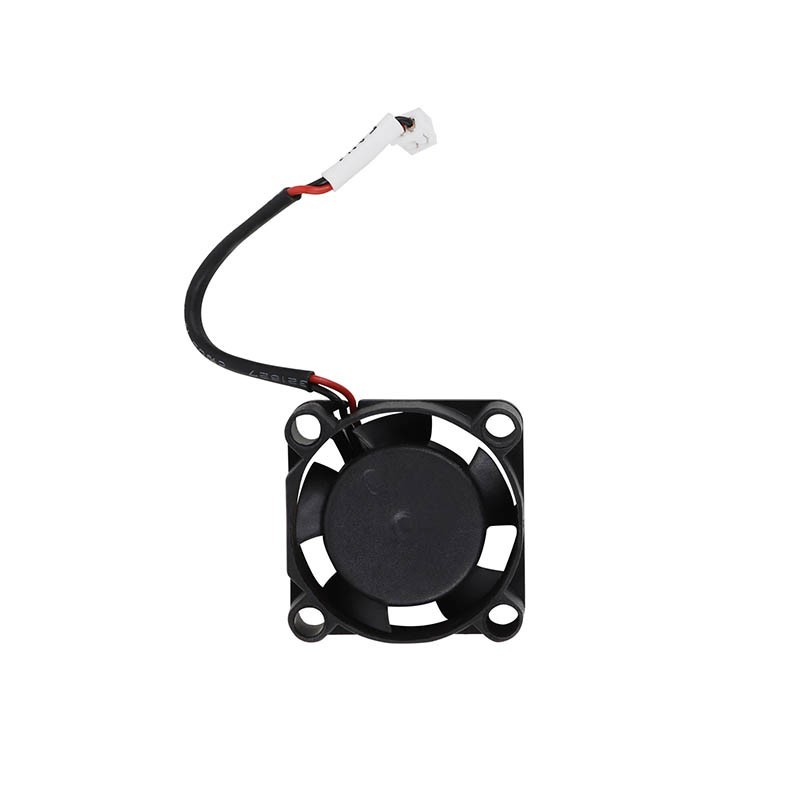
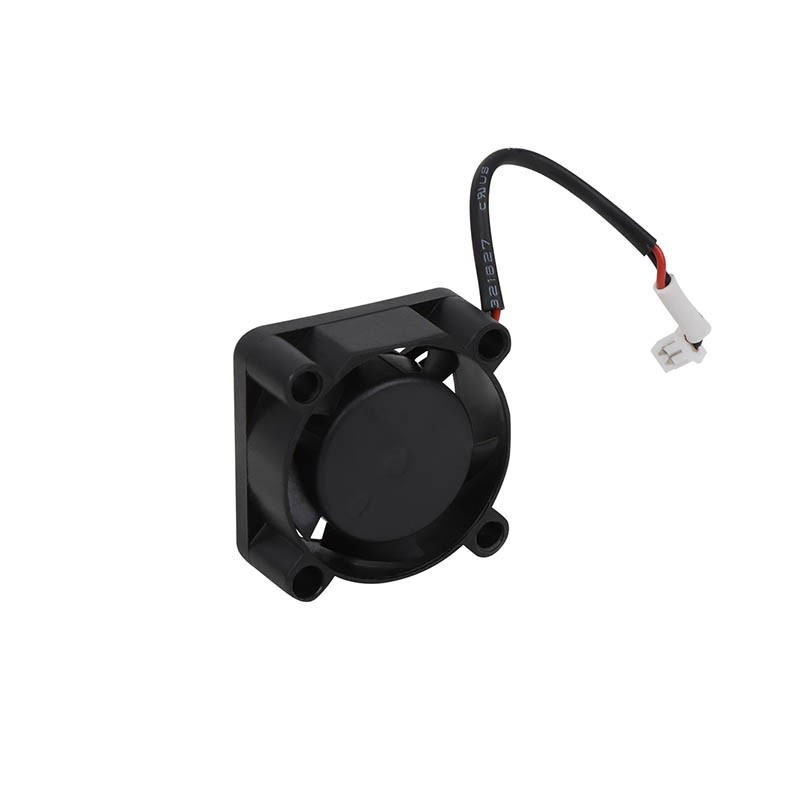
Creality Hotend Cooling Fan for Ender 3 V3 SE and Ender 3 V3 KE
ZSP102868
New product
- Remove this product from my favorite's list.
- Add this product to my list of favorites.
More info
The Creality Hotend Cooling Fan is an original replacement cooling fan designed for the Creality Ender-3 V3 SE and Ender-3 V3 KE 3D printers. This compact 2510 axial fan provides airflow to the hotend heatsink, helping maintain the required temperature difference between the heated nozzle assembly and the upper filament-feeding components.
Operating at 24V DC with a rated speed of 13,000 ± 15% RPM, the fan helps dissipate heat from the hotend's cold-side heatsink. Effective heatsink cooling is essential for maintaining a stable filament path and reducing the risk of heat creep, which can cause filament softening, extrusion resistance, and hotend blockages.
Featuring a 25 × 25 × 10mm design, hydraulic bearing construction, and a compact 2-pin electrical connector, the fan is intended as a direct replacement for the corresponding factory-installed hotend cooling fan in compatible Creality printers.
Key Features
Original Creality Replacement Part: Designed for the hotend cooling systems of the Ender-3 V3 SE and Ender-3 V3 KE.
2510 Axial Fan Design: Compact 25 × 25 × 10mm dimensions for installation in the printer's hotend assembly.
24V DC Operation: Matches the 24V cooling fan system used by compatible Creality printers.
High-Speed Cooling: Rated at 13,000 ± 15% RPM to provide airflow through the hotend heatsink.
Hydraulic Bearing Construction: Supports smooth rotation and continuous cooling operation.
Effective Heat Dissipation: Helps remove excess heat from the hotend's heatsink during printing.
Heat Creep Prevention: Supports proper thermal separation between the hotend's heated and cold sections.
Compact Electrical Connection: Uses a 2-pin connector with approximately 1.25mm pitch for compatible toolhead connections.
Printer Maintenance and Repair: Suitable for replacing a noisy, damaged, seized, or non-functioning original hotend cooling fan.
Essential Cooling for the Hotend Heatsink
An FDM 3D printer hotend contains two sections with very different temperature requirements.
The lower section heats the filament until it melts and can be extruded through the nozzle. The upper section must remain considerably cooler so that the filament stays solid until it reaches the intended melting zone.
The hotend heatsink helps maintain this temperature difference, while the cooling fan removes heat from the heatsink during operation.
Without sufficient cooling, heat can travel upward through the heatbreak and affect the filament before it reaches the melting zone.
A properly functioning hotend cooling fan helps maintain:
Stable hotend thermal performance
Effective heat dissipation from the heatsink
Controlled filament softening and melting
Reliable filament feeding
Consistent extrusion during longer prints
Reduced risk of heat-related filament jams
The fan is therefore an important part of the printer's extrusion system rather than simply an accessory for cooling the printhead.
Helps Prevent Heat Creep and Hotend Clogging
Heat creep occurs when excessive heat travels upward from the hotend's heated section into the area where the filament should remain solid.
When this happens, the filament can soften prematurely and expand or deform inside the heatbreak or filament path.
This may lead to:
Filament jamming inside the hotend
Partial or complete nozzle blockages
Inconsistent extrusion
Extruder clicking or filament grinding
Under-extrusion during printing
Failed prints after the hotend has been operating for some time
A damaged or underperforming hotend cooling fan is one possible cause of these problems.
Replacing a faulty fan can help restore normal heatsink cooling, although similar symptoms may also result from filament problems, incorrect retraction settings, or damaged hotend components.
High-Speed 2510 Axial Fan
This Creality cooling fan uses the compact 2510 axial fan format, measuring approximately 25mm in length, 25mm in width, and 10mm in thickness.
The axial design moves air through the fan housing in the direction of its rotation axis, making it suitable for delivering airflow directly toward the hotend heatsink.
Creality specifies a rated rotational speed of approximately 13,000 RPM, with a tolerance of ±15% for the 3205010374 version.
The high rotational speed helps generate the airflow required from the compact fan assembly while keeping its overall dimensions small enough for the printer's toolhead.
The fan uses a hydraulic bearing system designed to support smooth rotation during regular operation.
Hotend Cooling Fan vs Part Cooling Fan
The Ender-3 V3 SE and Ender-3 V3 KE use different fans for hotend cooling and printed-part cooling.
Although both are located around the printhead, they perform different functions and are not interchangeable.
| Feature | Hotend Cooling Fan | Part Cooling Fan |
|---|---|---|
| Primary Function | Cools the hotend heatsink | Cools deposited filament |
| Cooling Target | Hotend cold-side assembly | Printed model |
| Fan Design | Axial | Radial Blower |
| Fan Size | 2510 | 4010 |
| Dimensions | 25 × 25 × 10mm | 40 × 40 × 10mm |
| Rated Voltage | 24V DC | 24V DC |
| Typical Purpose | Maintain hotend thermal separation | Improve overhangs, bridges, and part cooling |
| Creality Part Number | 3205010374 | 3205010377 |
Important: This product is the 2510 axial hotend heatsink cooling fan, not the 4010 blower fan used for cooling printed models.
If the fan responsible for cooling the printed object is damaged, a separate part cooling fan is required.
Technical Specifications
| Specification | Details |
|---|---|
| Brand | Creality |
| Product Type | Hotend Heatsink Cooling Fan |
| Fan Type | Axial Cooling Fan |
| Fan Size | 2510 |
| Dimensions | 25 × 25 × 10mm |
| Rated Voltage | 24V DC |
| Rated Rotational Speed | 13,000 ± 15% RPM |
| Bearing Type | Hydraulic Bearing |
| Connector Type | 2-Pin, 1.25mm Pitch |
| Cable Length | Approximately 45mm |
| Creality Part Number | 3205010374 |
| Fan Weight | Approximately 6g |
| Cooling Application | Hotend Heatsink / Cold-Side Cooling |
| Compatible Printers | Ender-3 V3 SE, Ender-3 V3 KE |
Creality also lists a 2510 axial fan under part number 3205010403. Confirm the original fan's part number, connector, and cable arrangement when selecting a replacement.
Compatible 3D Printers
Designed for:
Creality Ender-3 V3 SE
Creality Ender-3 V3 KE
The 3205010374 fan is also listed for the Creality CR-10 SE.
Compatibility with other Creality models should not be assumed based solely on the 2510 dimensions or 24V rating. Connector type, cable length, mounting arrangement, and electrical specifications must also match.
When to Replace the Hotend Cooling Fan
Hotend cooling fans can develop problems after extended use due to bearing wear, accumulated dust, damaged fan blades, or electrical faults.
Replacement may be necessary when experiencing:
Unusual rattling, grinding, or buzzing noises from the hotend fan
Fan blades that rotate inconsistently or stop unexpectedly
A fan that does not start when commanded by the printer
Broken or physically damaged fan blades
Excessive vibration from the fan assembly
Repeated heat-creep-related filament jams
Reduced cooling airflow caused by a damaged or worn fan
Before replacing the component, inspect the fan for accumulated debris, damaged wiring, loose connectors, or physical obstructions.
A fan that does not operate may also indicate a connector, toolhead PCB, or control circuit problem rather than a defective fan motor.
Installation and Replacement
The cooling fan is installed within the printhead assembly and connected to the printer's toolhead electronics.
For replacement:
Switch off the printer and disconnect its power supply.
Allow the hotend to cool completely.
Remove the required printhead cover to access the existing fan.
Locate and carefully disconnect the fan's electrical connector.
Remove the mounting screws and damaged fan.
Install the replacement fan in the correct orientation.
Route the wiring away from the hotend's heated components and moving mechanisms.
Reconnect the fan and reassemble the printhead.
Power on the printer and verify correct fan operation.
Ensure that airflow is directed toward the hotend heatsink and that the fan blades rotate freely without contacting wiring or surrounding components.
Important: Do not continue printing with a known defective hotend heatsink fan. Insufficient cooling can result in recurring filament jams and extrusion problems.
Package Includes
1 × Creality 2510 Hotend Cooling Fan for Ender-3 V3 SE / Ender-3 V3 KE
Usage Note
This is the 2510 axial fan used to cool the hotend heatsink, not the 4010 blower used for printed-part cooling. Before ordering, confirm that the replacement matches the original fan's dimensions, voltage and connector arrangement.
29 other products in the same category:
-

Duct for...
Rs 60.00
-

4010 Turbo...
Rs 440.00
-

Creality...
Rs 570.00
-

4010 Axial...
Rs 200.00
-
40x40mm Fan...
Rs 50.00
-

Creality...
Rs 2,100.00
-

Transparent...
Rs 570.00
-

4020 Axial...
Rs 250.00
-
4020 Turbo...
Rs 360.00
-

5010 Axial...
Rs 210.00
-

6015 Axial...
Rs 340.00
-

8025 Axial...
Rs 360.00
-

Bambu Lab...
Rs 5,200.00
-

Bambu Lab...
Rs 5,400.00
-
3010 Axial...
Rs 270.00
-
Snapmaker...
Rs 3,800.00
-
Snapmaker...
Rs 3,800.00
-

120x120x25m...
Rs 1,400.00
-

Creality...
Rs 2,400.00
-
Creality...
Rs 2,400.00
-
Bambu Lab...
Rs 11,400.00
-
Bambu Lab...
Rs 4,900.00
-
Bambu Lab...
Rs 4,900.00
-
Bambu Lab...
Rs 4,900.00
-
Bambu Lab...
Rs 4,900.00
-
Bambu Lab...
Rs 4,900.00
-
Bambu Lab...
Rs 5,100.00
-
Bambu Lab...
Rs 5,100.00
-
Bambu Lab...
Rs 10,400.00
Customers who bought this product also bought:
-
-

-

GT2 (Brown...
High Quality
-

-

T8 Nut (Lead...
Lead 8mm