

No products
FDM Printers
- 3D Printing
- 3D Printers
- 3D Printer Parts
- Nozzles
- Hotends
- Extruders
- Bowden Tubes and Connectors
- Nozzle Wipers
- Filament Cutters
- Build Platforms and Parts
- 3D Printer Motherboards
- 3D Printer Displays
- Power Supply
- Motors and Parts
- Sensors, Limit Switches and Wires
- Fans and Parts
- Belts and Pulleys
- Bearings
- Structural Parts
- Filament Storage and Dryer
- Post Processing Equipment
- Multi Material Systems
- Multi Material Systems Parts
- Enclosure
- Lubricant
- Tools
- Print Kits
- Other
- 3D Filaments
- Resins
- 3D Scanners
- 3D Scanner Parts
- Machines
- CNC
- Manual
- CNC Parts
- Aluminum Extrusion
- Linear Shafts and Parts
- Linear Rails and Blocks
- Lead Screws and Nuts
- Ball Screws and Nuts
- Racks and Pinions
- Gears
- Bearings
- Couplings
- Belts
- Pulleys
- Belt Pulley Accessories
- Springs
- Screws Nuts Bolts
- Hardware
- CNC Controllers
- CNC Controller Parts
- CNC Motors and Drivers
- Power Supplies
- CNC Wires and Connectors
- Drag Chains
- Sensors and Switches
- Indicators
- Pneumatics, Water and Oil
- Dust Collectors
- Clamps
- Bits
- Plasma
- Lasers
- PLC and HMI
- Other
- Tools
- Power Tools
- Drills
- Rotary & Demolition Hammers
- Grinders
- Jigsaw
- Circular Saw
- Miter Saw
- Table Saw
- Electric Planer
- Trimmer and Router
- Electric Sander
- Electric Polisher
- Marble Cutter
- Cut Off Saw
- Welding Machine
- Air Compressors
- Electric Spray Gun
- High-Pressure Washer
- Air Blower
- Vacuum Cleaner
- Soldering Iron
- Heat Gun
- Glue Guns
- Electric Garden Tools
- Other Power Tools
- Cordless Tools
- Air Tools
- Hand Tools
- Measuring Tools
- Safety Tools
- Tool Accessories
- Power Tools
- Packaging
New products
-
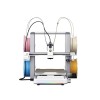
Creality SparkX i8 3D Printer
Creality Authorized Reseller 12 Month Warranty Free Islandwide Delivery
Rs 205,000.00 -
NIIMBOT Refill Tapes for N1
Rs 1,500.00 -
-
-
30mm Shaft Support Pillow Bearing Seat - KFL006
Rs 1,500.00 -
20mm Shaft Support Pillow Bearing Seat - KFL005
Rs 1,200.00 -
6mm Linear Shaft Smooth Shaft Rod
Rs 100.00 -
-
-
-
-
-
TWO TREES 202x128mm Magnetic Flexible Spring Steel Sheet Build Surface for Resin Printers
Rs 1,450.00 -50% Rs 2,900.00
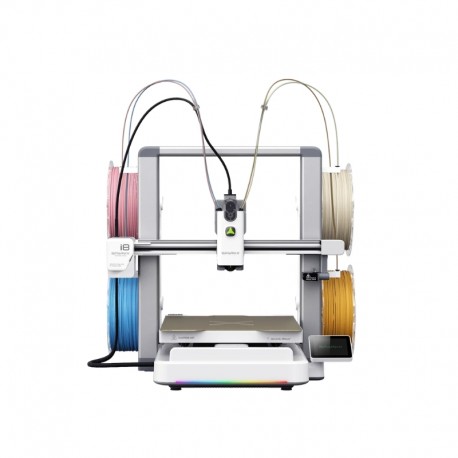
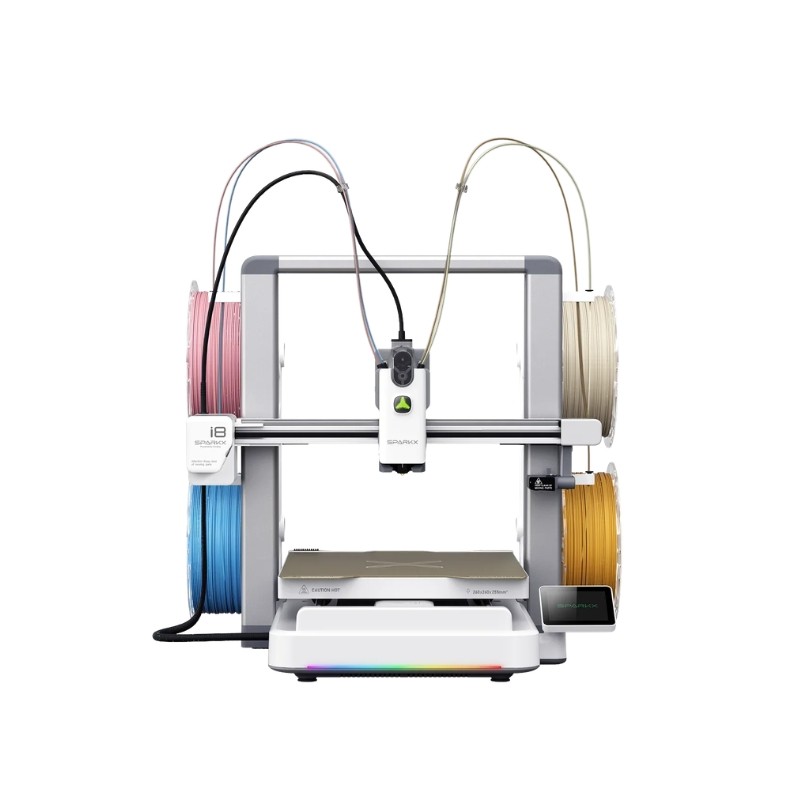
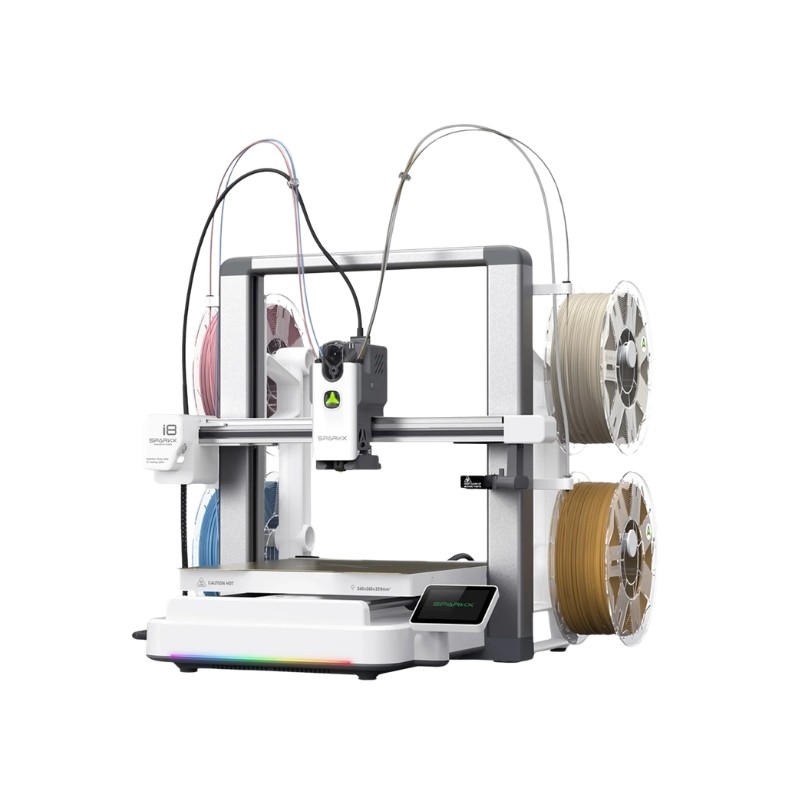
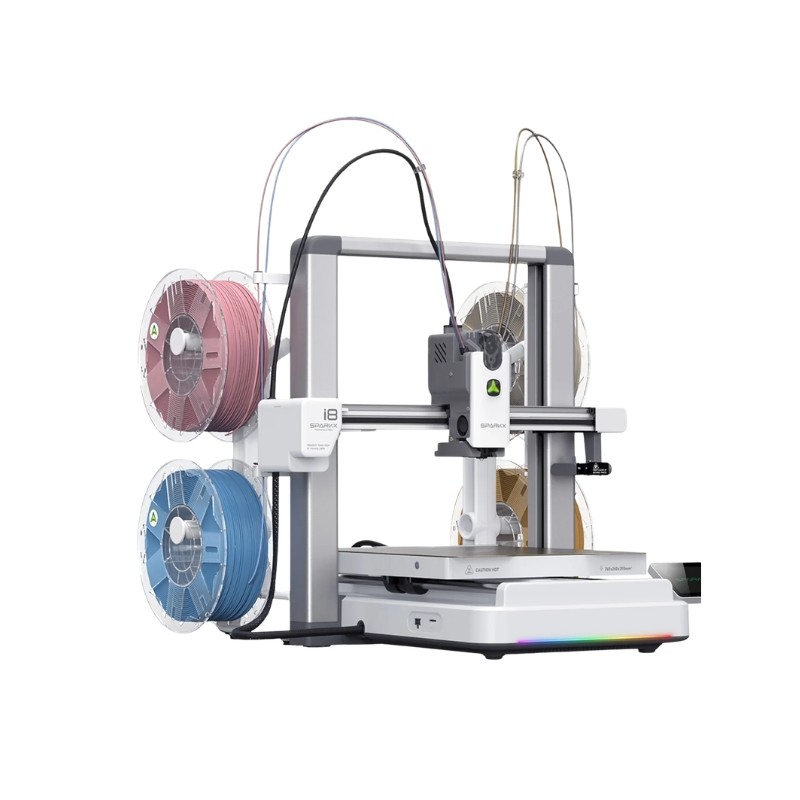
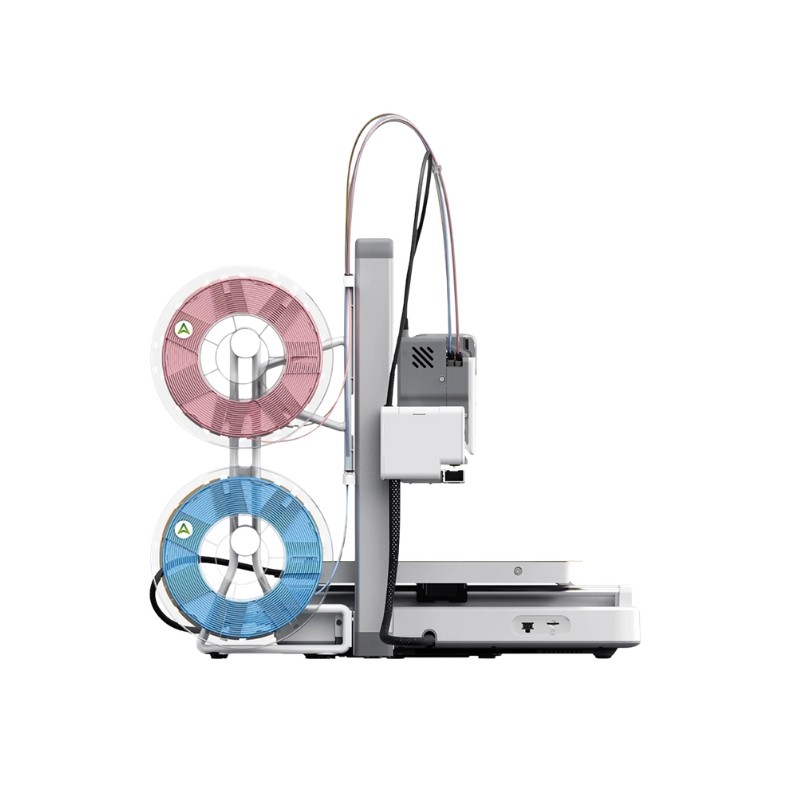
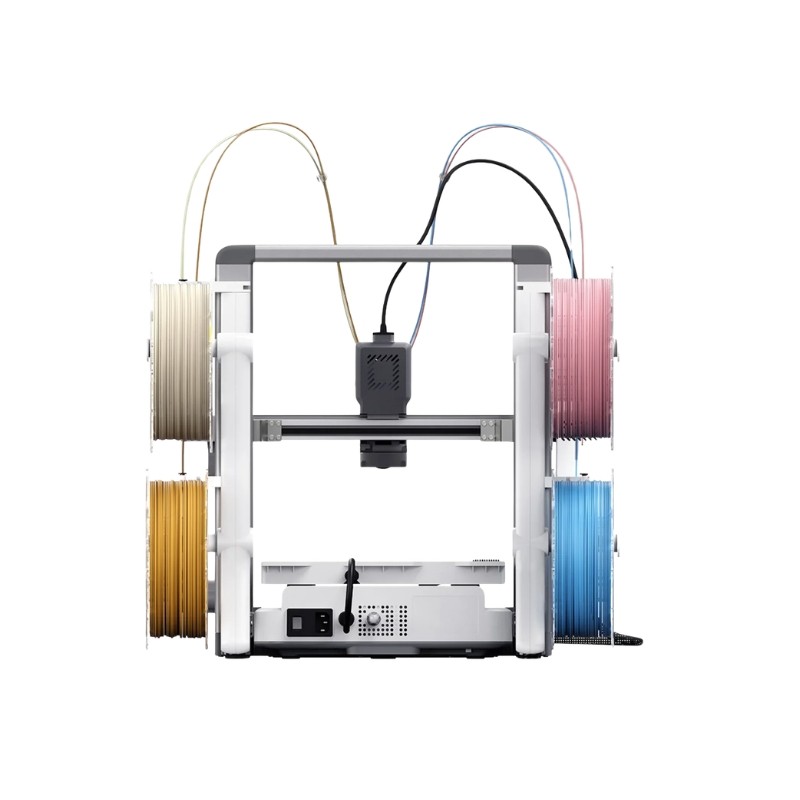
Creality SparkX i8 3D Printer
New product
- Creality Authorized Reseller
- 12 Month Warranty
- Free Islandwide Delivery
This product is no longer in stock
- Remove this product from my favorite's list.
- Add this product to my list of favorites.
More info
The Creality SPARKX i8 is a high-speed four-color FFF 3D printer built around Creality's QuarTeks™ multicolor printing technology. Instead of repeatedly unloading and re-feeding filament through a long shared path, four dedicated color channels extend directly into a single printhead, allowing extremely fast color changes with significantly less transition waste.
With color switching in under 1 second and a shared filament path of less than 1mm, SPARKX i8 is designed for users who want multicolor printing without the long switching delays and large purge volumes commonly associated with traditional multi-filament systems. Creality's comparative testing reports up to 500%+ faster multicolor printing and approximately 2.7× less filament waste, depending on the model and print settings.
The printer also combines a 260 × 260 × 255mm build volume, up to 500mm/s printing speed, automatic leveling, advanced input shaping, 13 intelligent sensors, an AI monitoring camera, and Creality Cloud connectivity, making it suitable for both new users and experienced makers who want a streamlined four-color workflow.
Key Features
QuarTeks™ integrated four-channel color printing technology
Color switching in under 1 second
Less than 1mm shared filament path for reduced transition waste
Supports up to four colors through a single printhead
260 × 260 × 255mm build volume
Maximum print speed up to 500mm/s
13 intelligent sensors plus AI camera monitoring
5-second quick-release hotend for easier maintenance
QuarTeks™ Four-Color Printing
The SPARKX i8 uses Creality's QuarTeks™ architecture, which integrates four dedicated filament channels directly into one printhead.
Only a very short section of the filament path is shared before extrusion. With a shared path of less than 1mm, there is far less material that needs to be unloaded or purged during each color change.
This allows the printer to switch between its four channels in under one second, making it especially useful for models containing hundreds or thousands of color transitions.
Faster Multicolor Printing
Traditional multicolor systems can spend significant time retracting filament, feeding a new color, flushing the nozzle, and creating purge structures.
QuarTeks™ reduces this switching overhead considerably. In Creality's specified comparison tests, SPARKX i8 achieved up to 500%+ faster multicolor printing depending on the model and number of color changes.
The benefit becomes increasingly noticeable on detailed multicolor models with frequent filament switching.
Reduced Filament Waste
The ultra-short shared filament path also reduces the amount of material that needs to be purged when changing colors.
Creality reports approximately 2.7× less filament waste in its comparison testing, allowing more of each spool to become part of the finished model instead of purge material.
For selected models, purge material can also be redirected into model infill, helping reduce or eliminate the need for an external purge tower.
Actual material savings depend on the model, colors, number of transitions, and slicer settings.
Single Printhead for Consistent Color Alignment
All four filament channels use a single nozzle and printhead.
This avoids the positional offset calibration required by independent multi-toolhead systems and helps keep each color aligned to the same extrusion point.
The result is a simpler mechanical arrangement for four-color printing with cleaner boundaries and reduced alignment variation between colors.
81-Point Automatic Leveling
SPARKX i8 uses 81-point automatic bed leveling together with localized micro-leveling and automatic Z-offset adjustment.
This helps create a more consistent first layer across the build surface and reduces the amount of manual leveling required before printing.
Advanced Input Shaping
Full-field sweep-frequency input shaping helps compensate for machine vibration during high-speed movement.
By reducing ringing and ghosting, the system helps maintain smoother surfaces and clearer details even when printing at higher speeds.
Intelligent 4-Channel Filament Monitoring
The printhead contains 13 intelligent sensors that monitor important printing conditions in real time.
The four-channel filament monitoring system can help detect conditions such as:
Filament runout
Filament slipping
Air printing
Abnormal filament feeding
The printer can alert the user when intervention is required, reducing the chance of a long print continuing after a filament-related problem.
AI Camera Monitoring
The built-in 720p camera supports real-time print monitoring and AI-assisted failure detection.
It can help identify:
Spaghetti failures
Empty printing
Abnormal print conditions
Alerts can be sent through the connected Creality workflow, allowing users to respond before additional time and filament are wasted.
The camera also supports remote viewing and time-lapse recording.
5-Second Quick-Release Hotend
The hotend is designed for fast maintenance and can be released in approximately five seconds.
This makes it easier to replace the hotend, clear maintenance issues, or change to another compatible nozzle size without lengthy disassembly.
The standard nozzle diameter is 0.4mm.
300°C Hotend and 100°C Heated Bed
The SPARKX i8 hotend can reach temperatures up to 300°C, while the heated bed reaches up to 100°C.
The printer uses a dual-sided gold textured PEI build plate with magnetic attachment, providing a practical removable surface for regular FFF printing.
Material suitability depends on the filament manufacturer's recommended temperature, the printer's open-frame design, and the selected print profile.
High-Speed Printing
The printer supports a maximum print speed of up to 500mm/s and maximum acceleration of 10,000mm/s².
These specifications help reduce production time for suitable models while the motion-control and input-shaping systems work to maintain print quality.
Actual printing speed depends on model geometry, filament, nozzle size, layer height, flow requirements, and quality settings.
Creality Cloud and Remote Printing
SPARKX i8 integrates with Creality Cloud for a connected printing workflow.
Users can:
Browse millions of available 3D models
Slice supported models from a phone
Send jobs remotely
Monitor prints from a mobile device
Create time-lapse recordings
Turn supported photos into AI-generated 3D content
Use one-click 3MF printing workflows
The printer can also be used through a local network or offline with MicroSD storage.
Creality Print 7
The SPARKX i8 is designed for Creality Print 7 or later.
Creality Print supports:
Windows
macOS
Linux
The slicer manages the four-color QuarTeks™ workflow, filament assignments, purge behavior, print parameters, and printer communication.
Technical Specifications
| Specification | Details |
|---|---|
| Product Type | Four-Color FFF 3D Printer |
| Brand | Creality |
| Model | SPARKX i8 |
| Printing Technology | FFF |
| Multicolor System | QuarTeks™ |
| Number of Color Channels | 4 |
| Printhead Design | Integrated Four-Channel Single Toolhead |
| Color Switching Time | Less than 1 Second |
| Shared Filament Path | Less than 1mm |
| Build Volume | 260 × 260 × 255mm |
| Nozzle Diameter | 0.4mm |
| Maximum Print Speed | 500mm/s |
| Maximum Acceleration | 10,000mm/s² |
| Maximum Hotend Temperature | 300°C |
| Maximum Heated Bed Temperature | 100°C |
| Frame Design | Open-Frame Bedslinger |
| Auto Leveling | 81-Point Automatic Leveling |
| Build Plate | Dual-Sided Gold Textured PEI, Magnetic |
| Camera | 720p, Up to 30fps |
| Camera Auxiliary Light | Yes |
| Intelligent Sensors | 13 |
| Display | 2.85-inch, 640 × 480 |
| Status Light | Full-Color RGB |
| Storage | 8GB MicroSD Card Included |
| Wireless | 2.4GHz |
| Remote Control | Web and Mobile App |
| OTA Firmware Updates | Supported |
| Slicer | Creality Print 7 or Later |
| Desktop OS Support | Windows, macOS, Linux |
| Machine Dimensions | 467 × 423 × 456mm |
| Package Dimensions | 524 × 519 × 332mm |
| Net Weight | 9.72kg |
| Power Input | 100–120VAC / 200–240VAC, 50/60Hz |
| Operating Noise | ≤45dB |
Smart Functions
Four-channel automatic color switching
Less than 1-second filament channel switching
81-point automatic leveling
Automatic Z-offset
Localized micro-leveling
Advanced input shaping
Four-channel filament monitoring
Filament runout detection
Filament slip detection
Air-print detection
AI spaghetti detection
Empty-print detection
Remote print monitoring
Time-lapse recording
OTA firmware updates
Applications
Four-color 3D models
Character figures
Collectibles
Toys
Decorative models
Personalized gifts
Multicolor signs and lettering
Color-coded prototypes
Educational models
Product samples
Home accessories
Batch multicolor printing
Small business 3D printing
Creative and hobby projects
Compatibility
Creality Print 7 or later
Windows, macOS, and Linux slicing workflows
Creality Cloud web and mobile workflow
2.4GHz wireless network
Offline MicroSD printing
Up to four filament channels through the integrated QuarTeks™ printhead
Performance Note
Creality's claims of 500%+ faster multicolor printing and approximately 2.7× lower filament waste are based on specified comparison tests involving frequent color changes. Actual print-time and filament savings vary according to the model, filament, number of color transitions, slicer settings, purge settings, and print profile.
Usage Note
For the best multicolor results, assign each filament channel correctly in Creality Print and use suitable filament profiles. Keep filament dry and confirm that all four channels feed smoothly before starting long multicolor jobs. Because the SPARKX i8 is an open-frame printer, material suitability should also consider whether the selected filament requires a controlled heated chamber.
Note:
3D printers are supplied as semi-assembled kits. Assembly is straightforward and typically takes only a few minutes, depending on the user's experience.
The customer is responsible for assembling the printer. However, the we will provide technical assistance and guidance whenever required.
Accessories


30 other products in the same category:
-
Creality K2...
Rs 430,000.00
-
Creality K2...
Rs 490,000.00
-

Creality K2...
Rs 560,000.00
-
Anycubic...
Rs 175,000.00
-

Anycubic...
Rs 205,000.00
-

Anycubic...
Rs 275,000.00
-
Anycubic...
Rs 150,000.00
-
Anycubic...
Rs 240,000.00
-

Anycubic...
Rs 210,000.00
-

Anycubic...
Rs 265,000.00
-
Anycubic...
Rs 320,000.00
-
Anycubic...
Rs 420,000.00
-

Bambu Lab...
Rs 105,000.00
-

Bambu Lab...
Rs 160,000.00
-
Bambu Lab...
Rs 230,000.00
-

Bambu Lab...
Rs 315,000.00
-

Bambu Lab...
Rs 295,000.00
-

Bambu Lab...
Rs 420,000.00
-

Bambu Lab...
Rs 395,000.00 Rs 490,000.00
-
Bambu Lab...
Rs 430,000.00
-
Bambu Lab...
Rs 510,000.00
-

Bambu Lab...
Rs 595,000.00
-

Bambu Lab...
Rs 700,000.00
-

Bambu Lab...
Rs 970,000.00
-

Bambu Lab...
Rs 1,170,000.00
-
Bambu Lab...
Rs 98,000.00
-

Bambu Lab...
Rs 120,000.00
-
Bambu Lab...
Rs 185,000.00
-

Bambu Lab...
Rs 230,000.00
-
Snapmaker...
Rs 420,000.00